
Free Software
FREEWebmaster Domain Toolkit
Domain audits, saved reports, and client portfolios
Run domain audits, keep scan history, compare findings, and export client reports from one desktop workspace. Version 1.1.0 adds portfolios, deeper email and DNS checks, site crawling, and optional measured engines.
As a webmaster or developer, you know the routine. Checking DNS records in one tool, SSL certificates in another, running separate tests for security headers, SEO, and performance. It's tedious, time-consuming, and scattered across dozens of browser tabs.
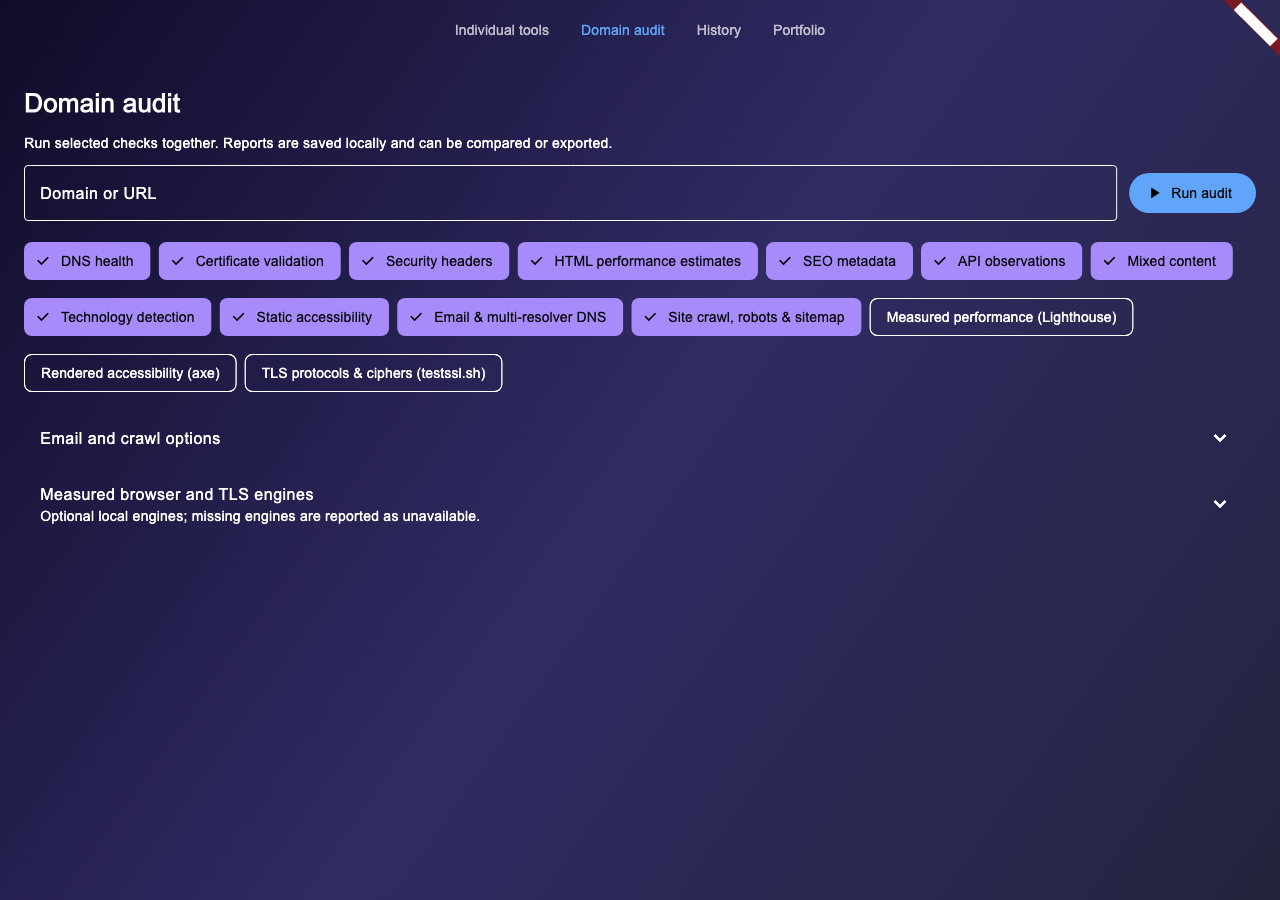
Run a combined audit for one target or a batch for a client portfolio. Review successful checks even when another section fails, then return to saved evidence when it is time to compare or report.
Download Webmaster Domain Toolkit
Select your platform and accept the terms to download.
3 platforms available. Select your platform above.
The 1.1.0 audit workspace
Keep your audit results, client targets, and report evidence together.
Combined domain audits
Select checks for one target and review prioritized findings, fixes, evidence, and scope. Each section reports its own status. Retry failed, unavailable, or partial checks while retaining completed results.
Saved history and comparisons
Individual scans and combined reports save locally. Filter history and compare the same target with a baseline. Only completed checks with matching scan profiles count as comparable. Unknown results stay unknown.
Client report exports
Export JSON, CSV, or printable HTML with findings, recommendations, statuses, and evidence. Print the HTML report to PDF from your browser. Review imported email headers before sharing.
Domain portfolios
Paste targets or import CSV with client and project tags. Filter and select entries for batch scans. Each target gets its own saved report with independent results.
Email and DNS diagnostics
Inspect SPF includes and redirects, DMARC policy, and DKIM selectors you provide. Import email headers for observed authentication and alignment. Compare Google and Cloudflare DNS plus a bounded authoritative sample. DNSSEC shows the resolver AD signal.
Bounded site crawling
Crawl the exact starting origin for HTTP failures, duplicate titles and descriptions, and robots/noindex/sitemap conflicts. The default cap is 25 pages, with a maximum of 200. Unchecked pages remain explicit. JavaScript and logged-in states are outside the crawl.
Optional browser measurements
Local Lighthouse measures lab LCP, CLS, and TBT. Optional CrUX supplies field LCP, CLS, and INP when data is available. Axe reports rendered-page violations, selectors, incomplete checks, and a manual review checklist.
Optional full TLS probing
A separately installed testssl.sh engine checks real protocols, ciphers, certificate chains, and vulnerabilities on macOS or Linux. Missing engines show as unavailable and failed measurements do not receive invented scores.
Browser and full TLS engines need separate installation. They are not bundled with the app.
Set up measured audit enginesAll 9 Tools at Your Fingertips
Use an individual check for a quick inspection, or select it as part of a combined audit.
DNS Health Checker
Inspect DNS records and basic SPF/DMARC configuration. Combined audits add email authentication diagnostics and resolver comparisons.
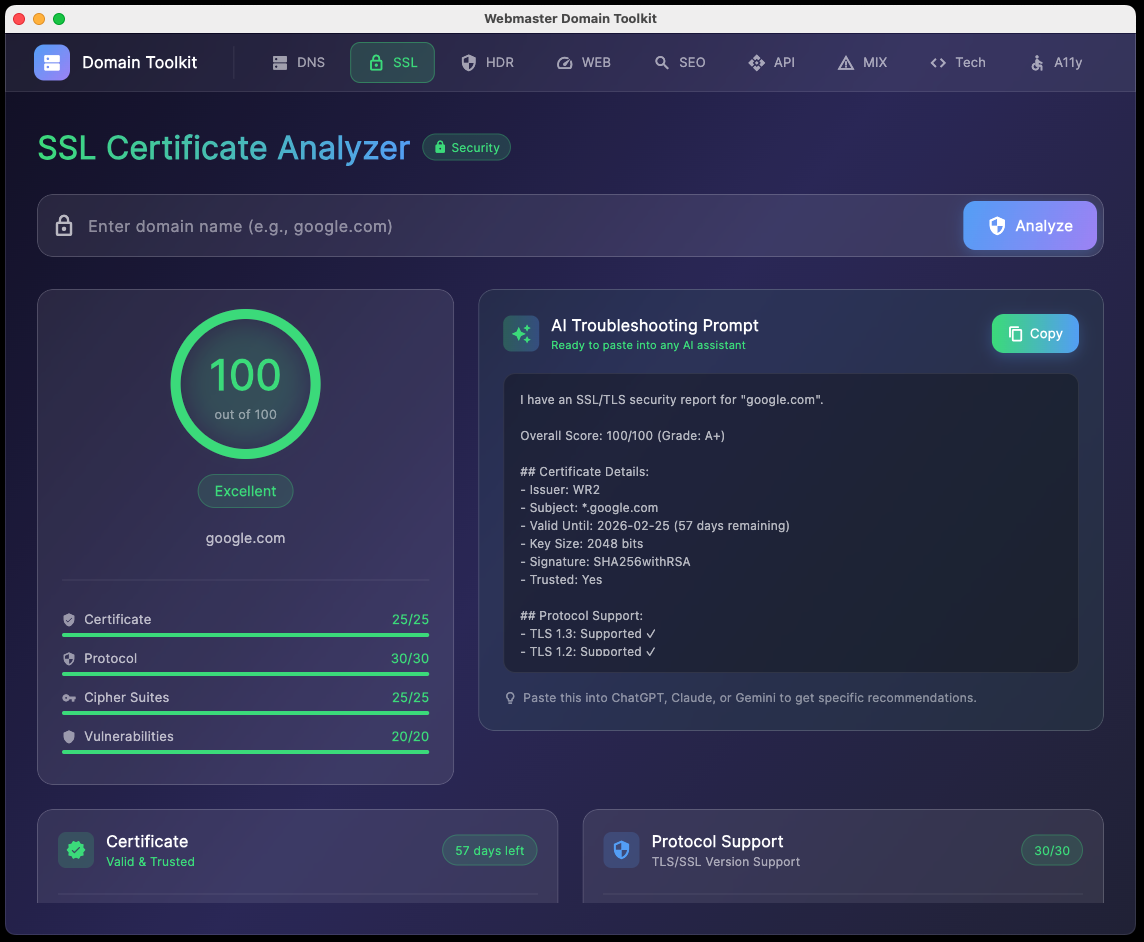
SSL Certificate Analyzer
Check certificate trust, expiry, hostname, and X.509 metadata. Its score covers the certificate. Full protocol and cipher probes need the optional TLS engine.
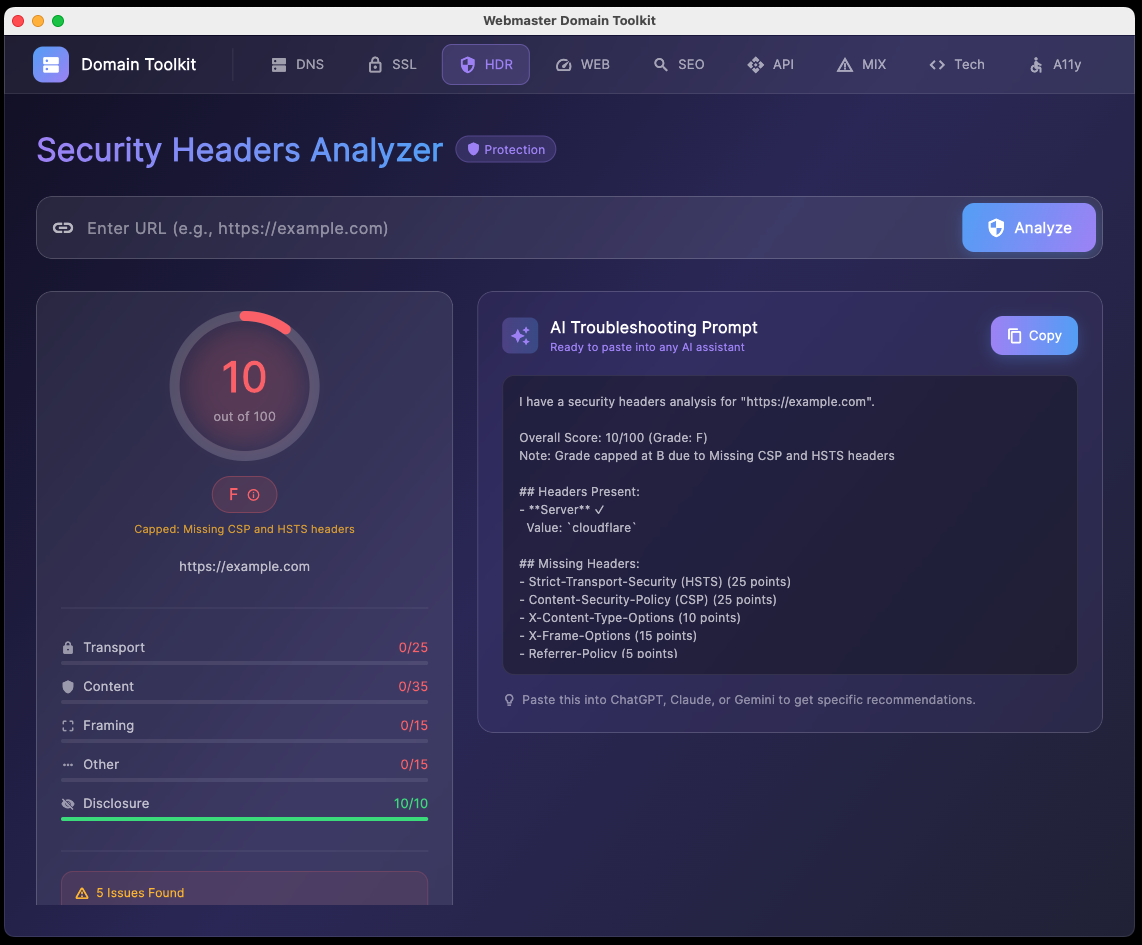
Security Headers Analyzer
Inspect observed CSP, HSTS, framing, and other response headers with findings and suggested changes.
Web Vitals Auditor
Measure HTTP request timing and inspect HTML resources. Its performance estimates are heuristics. Optional Lighthouse and CrUX checks provide measured lab and field data.
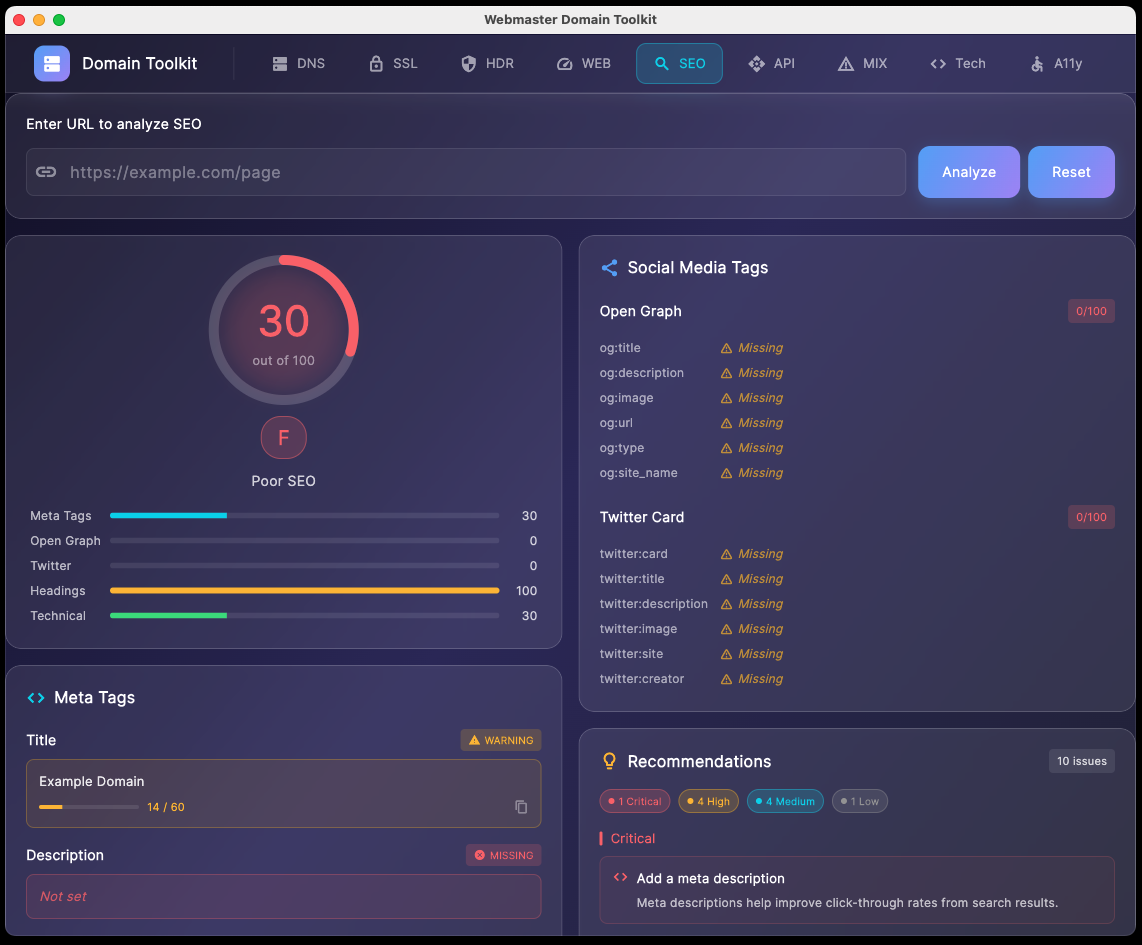
SEO Meta Validator
Check metadata, headings, JSON-LD, Open Graph, and Twitter Cards in fetched HTML. It does not render JavaScript.
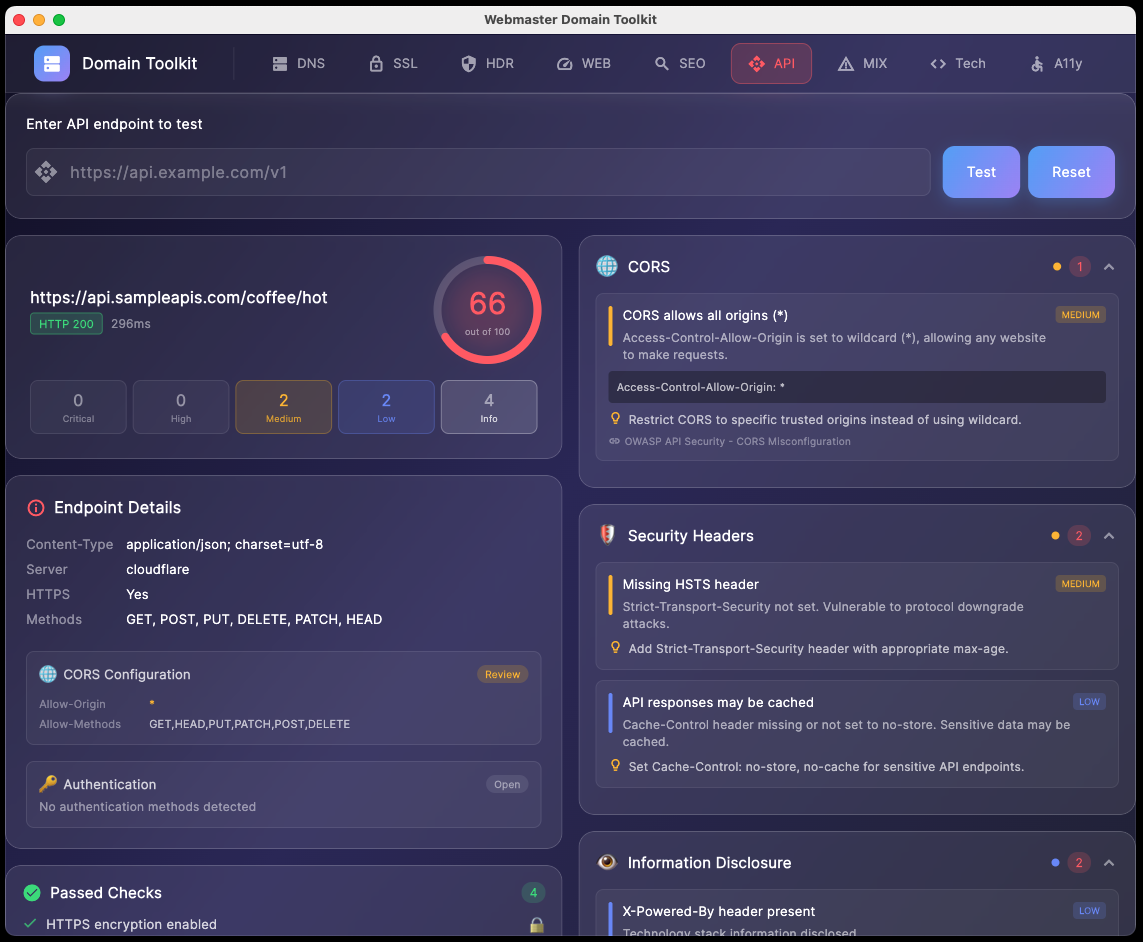
API Security Tester
Observe GET and OPTIONS responses, advertised methods, CORS, and headers. Results do not establish complete authentication or endpoint security.
Mixed Content Scanner
Find HTTP resource references in fetched HTTPS HTML and inline CSS. External stylesheets and rendered application states are outside its scope.
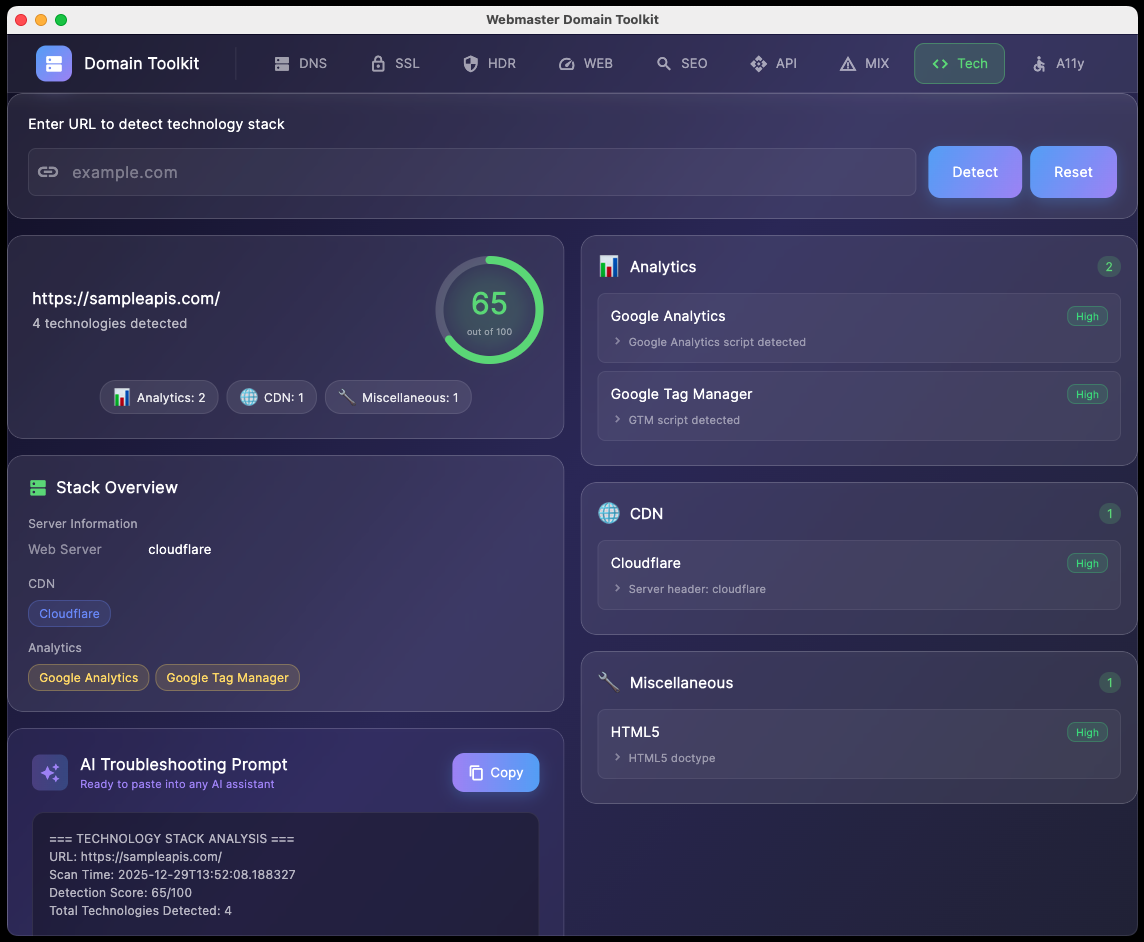
Technology Stack Detector
Detect technology hints in response headers and fetched HTML. Results depend on what a site exposes.
Accessibility Checker
Find common accessibility issues in fetched HTML. Optional axe checks inspect a rendered page and include manual review. Neither establishes WCAG conformance.
Understand each check's scope
Individual tools use their own scoring rules. The SSL tool's grade covers certificate checks, and the built-in performance tool labels HTML estimates as heuristics. A high score applies to the checks performed.
Combined audits show findings and section statuses without averaging different tools into one grade. Failed, unavailable, partial, and manual-review results remain visible.
Lighthouse lab LCP, CLS, and TBT are separate from CrUX field LCP, CLS, and INP. TBT is not INP. Axe results require manual assessment and have no conformance score.
History comparisons require matching targets and scan profiles. Incomplete accessibility rules and measurement errors stay uncertain. A missing finding counts as fixed only when the check was comparable.
Copy a troubleshooting prompt
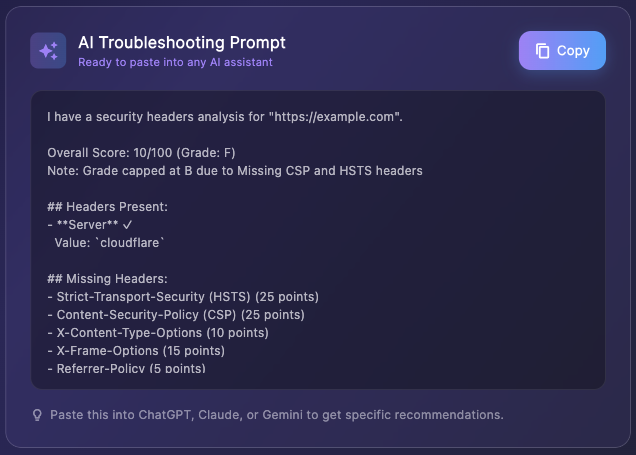
Generate a prompt from an individual scan and copy it to your chosen AI assistant. The prompt includes the observed findings and their scope.
Example Generated Prompt (Security Headers)
Review these observed HTTP security headers for https://example.com.

Missing headers include Content-Security-Policy and Strict-Transport-Security.
The scan inspected the response headers for the requested page.

Explain which findings need attention and suggest configuration changes.
State any assumptions and any checks that require more evidence.
Copy the prompt to ChatGPT, Claude, or another assistant. Review its suggestions against your report and configuration before applying changes.
Tools in Action
Examples of the individual tools. Optional measured engines run as separate sections in a combined audit.
Key Features
- Nine individual tools plus combined audits, email/DNS diagnostics, and bounded site crawling
- Prioritized findings and retained evidence with a clear measurement scope for each check
- Local saved history, comparable baseline reports, and JSON, CSV, or printable HTML exports
- Client and project portfolios with selected-target batch scans
- Optional local Lighthouse, axe, and testssl.sh engines with separate setup
- Copyable troubleshooting prompts for your chosen AI assistant
- Scans access target sites and DNS services. CrUX field data is an optional Google API request.
Built for website work
For people who inspect and maintain websites.
Web Developers who need to quickly diagnose DNS and SSL issues
SEO Professionals validating metadata and structured data
Security Engineers auditing security headers and configurations
DevOps Teams troubleshooting deployment and infrastructure issues
Freelancers managing multiple client websites
Anyone who's tired of bouncing between a dozen different web tools
System Requirements
- macOS Apple Silicon macOS 11 or later.
- macOS Intel macOS 10.15 or later.
- Windows Windows 10 or 11, 64-bit.
- Disk space Allow 100 MB for the app. Optional browser engines need additional space.
- Internet Required for domain and website checks and initial engine setup.
- Optional engines Node.js 22.19 or newer with Chromium for Lighthouse/axe; separate testssl.sh on macOS. Native Windows full TLS probing is unavailable.
Changelog
Version 1.1.0 - Audit workspace
- Saved history and comparisons that preserve incomplete and uncertain results.
- JSON, CSV, and printable HTML reports with evidence and recommended fixes.
- Combined audits, client/project portfolios, CSV import, and bounded batch scans.
- Recursive SPF analysis, supplied DKIM selectors, DMARC checks, imported email headers, resolver comparisons, authoritative DNS sampling, and resolver-reported DNSSEC signals.
- Bounded same-origin crawling with broken links, duplicate metadata, robots rules, and sitemap checks.
- Optional local Lighthouse and rendered axe engines, optional CrUX field data, and separate testssl.sh probing on macOS.
- Corrected certificate and performance claims, scan accuracy, cancellation, settings persistence, and Windows batch report ID collisions.
v1.0.1 — Updated Links
- Updated in-app links to the new app hosting domain apps.digitalcoding.com, including Terms & Conditions and Privacy Policy
Version 1.0.0 - Initial Release
- DNS Health Analyzer with comprehensive record checking
- SSL Certificate Analyzer with security grading
- Security Header Scanner with recommendations
- SEO Analyzer for meta tags and Open Graph
- Tech Stack Detector for server technologies
- API Endpoint Tester with authentication support
- Website Performance Analytics
- AI-Powered Prompt Generation
- Multi-domain tabbed interface
Future ideas
Ideas for future releases include the following.
- Custom alert thresholds
- API integration for CI/CD pipelines
We'd love to hear your suggestions. This tool was built to solve real problems that webmasters face every day, and your feedback shapes our roadmap.
Get Started Today
Download Webmaster Domain Toolkit to inspect websites, track findings, and prepare reports.
Download Now
Need a Custom Desktop Application?
We build modern, cross-platform desktop applications tailored to your business needs. From internal tools and data analyzers to customer-facing software. Tell us your requirements and we'll build a polished application.
Discuss Your Project