

Free Software
FREEDC Studio
22 local media tools with precise cuts, transitions, captions, and workflows
A desktop media toolkit with 22 tools for video, audio, and images. Make precise cuts and transitions, translate captions, save workflows, and keep track of every export. Your media stays on your machine. No subscriptions or accounts.
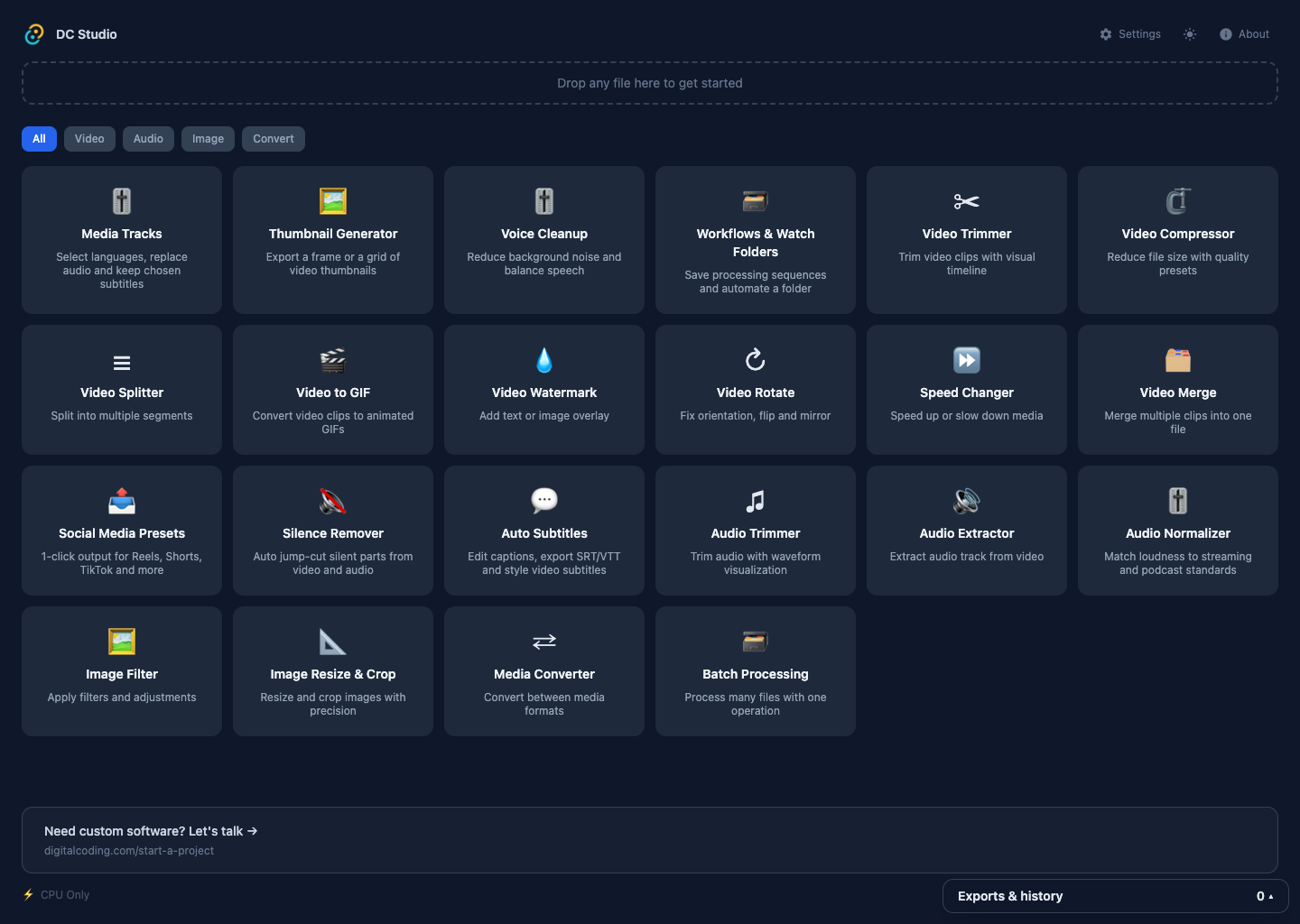
Editing media shouldn't require expensive subscriptions, complex software, or uploading files to the cloud. You just need to trim a video, compress a clip, or convert a format. It should be simple.
DC Studio puts 22 media tools in one app. Processing runs locally, including AI transcription after its speech model is downloaded. Pick a tool for a quick edit, or save a workflow for tasks you repeat.
Download DC Studio
Select your platform and accept the terms to download.
4 platforms available. Select your platform above.
DC Studio processes all media locally using a bundled FFmpeg build. Your files never leave your device. No cloud upload, no account, no telemetry.
Video Trimmer
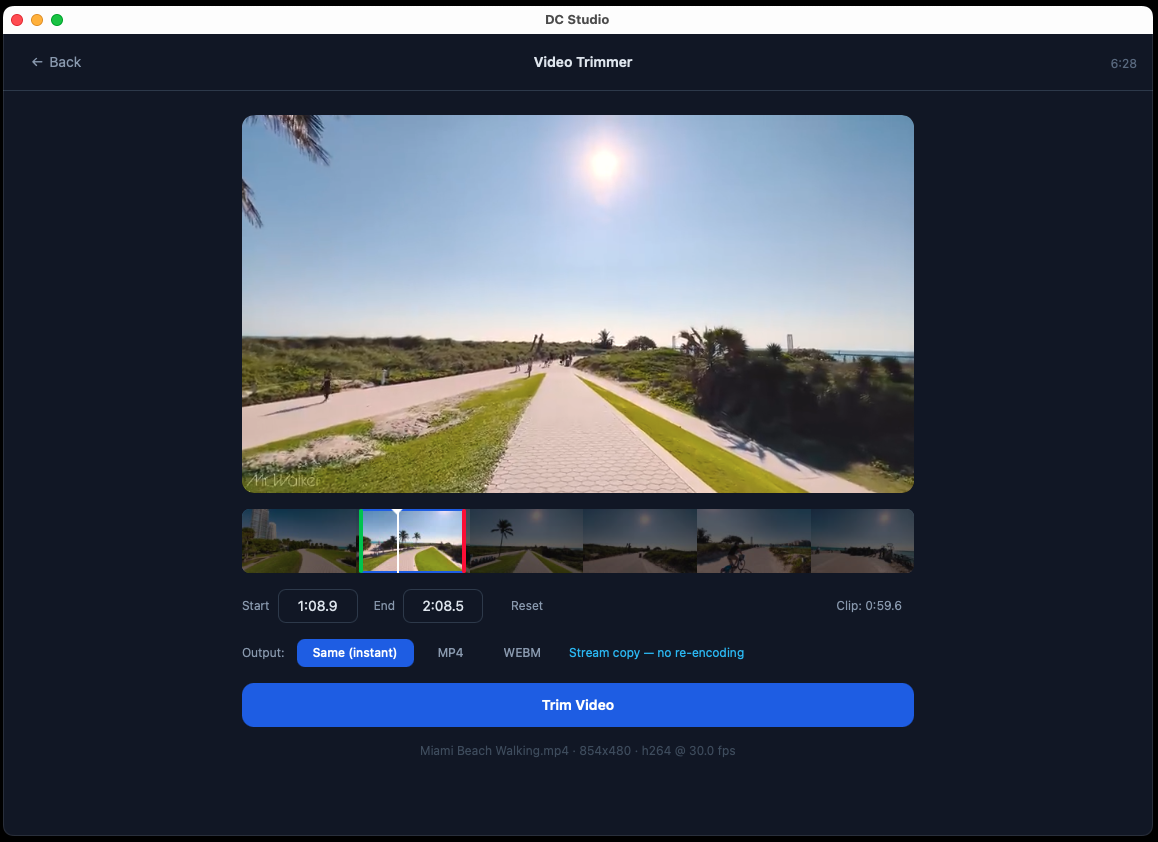
Choose start and end times with a visual timeline and waveform. Use precise re-encoded cuts or fast cuts that follow source keyframes.
Video Splitter
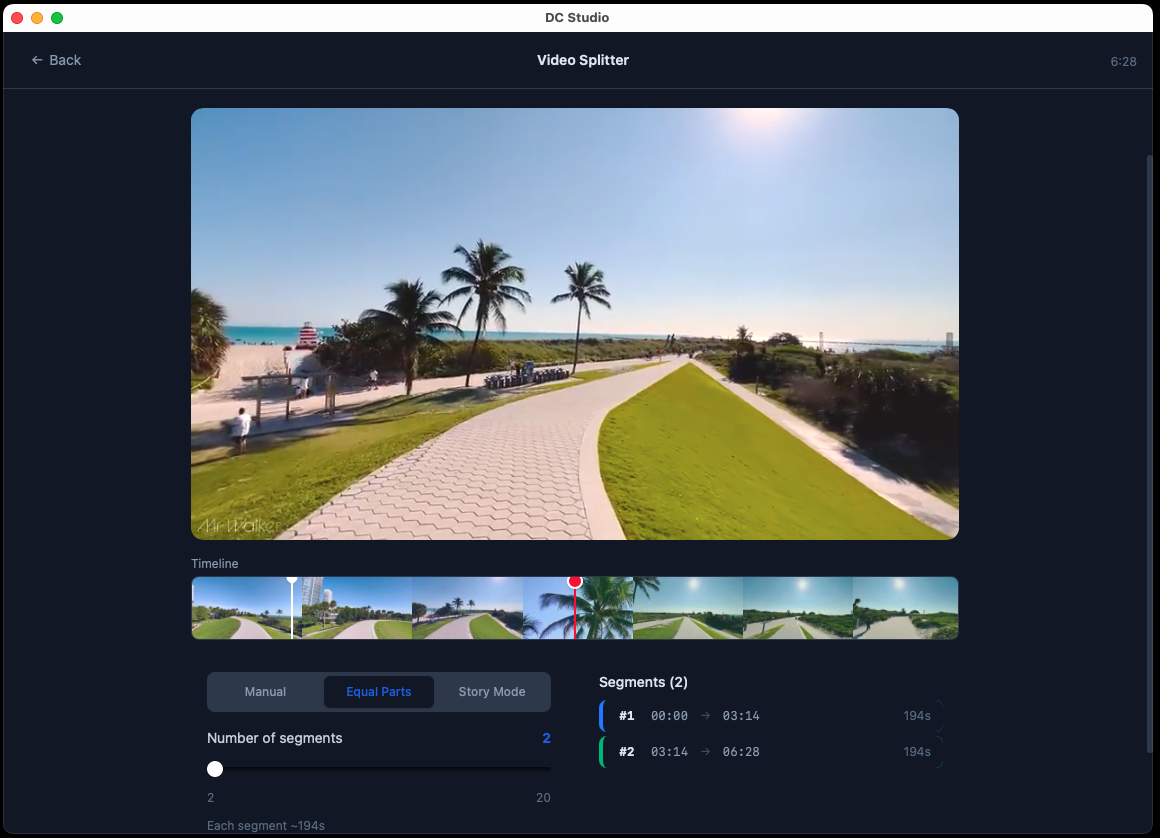
Split by duration, equal parts, or custom points. Choose precise cuts or faster keyframe-snapped cuts, and export segments to a folder.
Video Merge
Combine clips with drag-to-reorder and optional crossfade transitions. Rotated clips are oriented correctly and audio survives silent sections.
Video Compressor
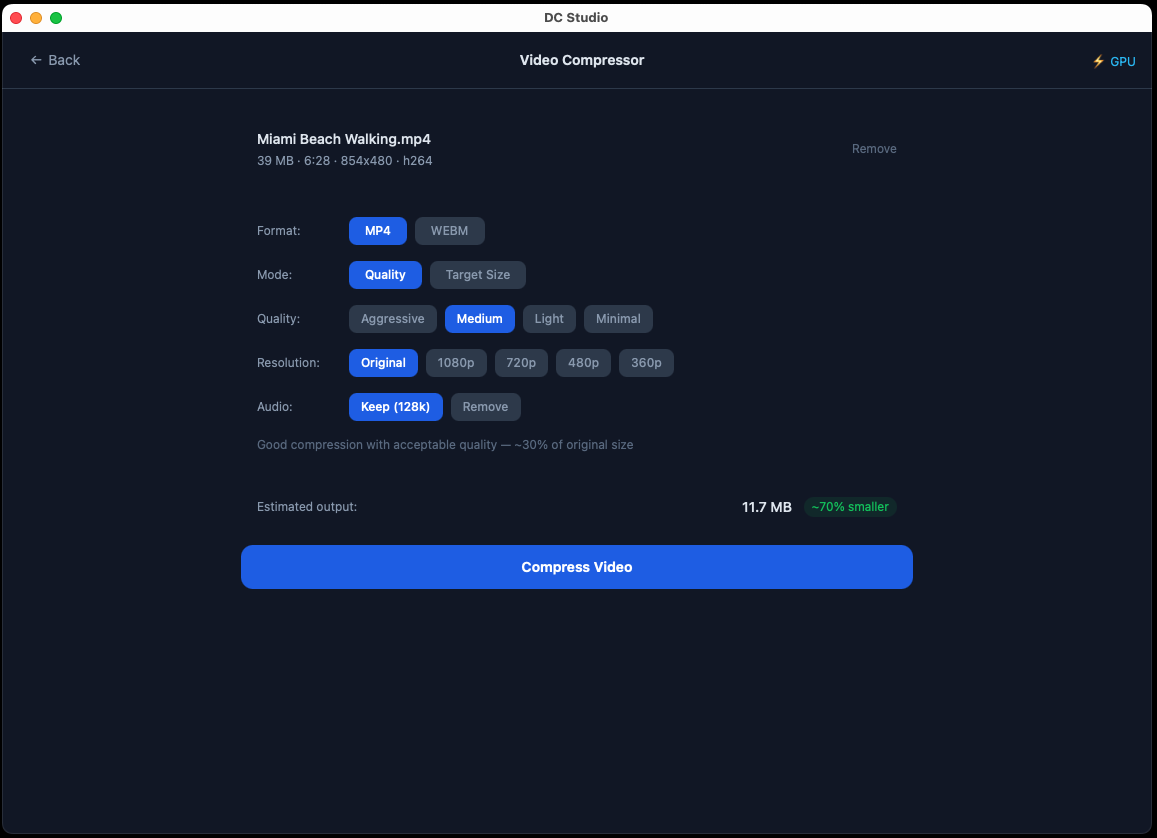
Reduce video file size with quality presets or target a specific file size. Supports multiple output formats.
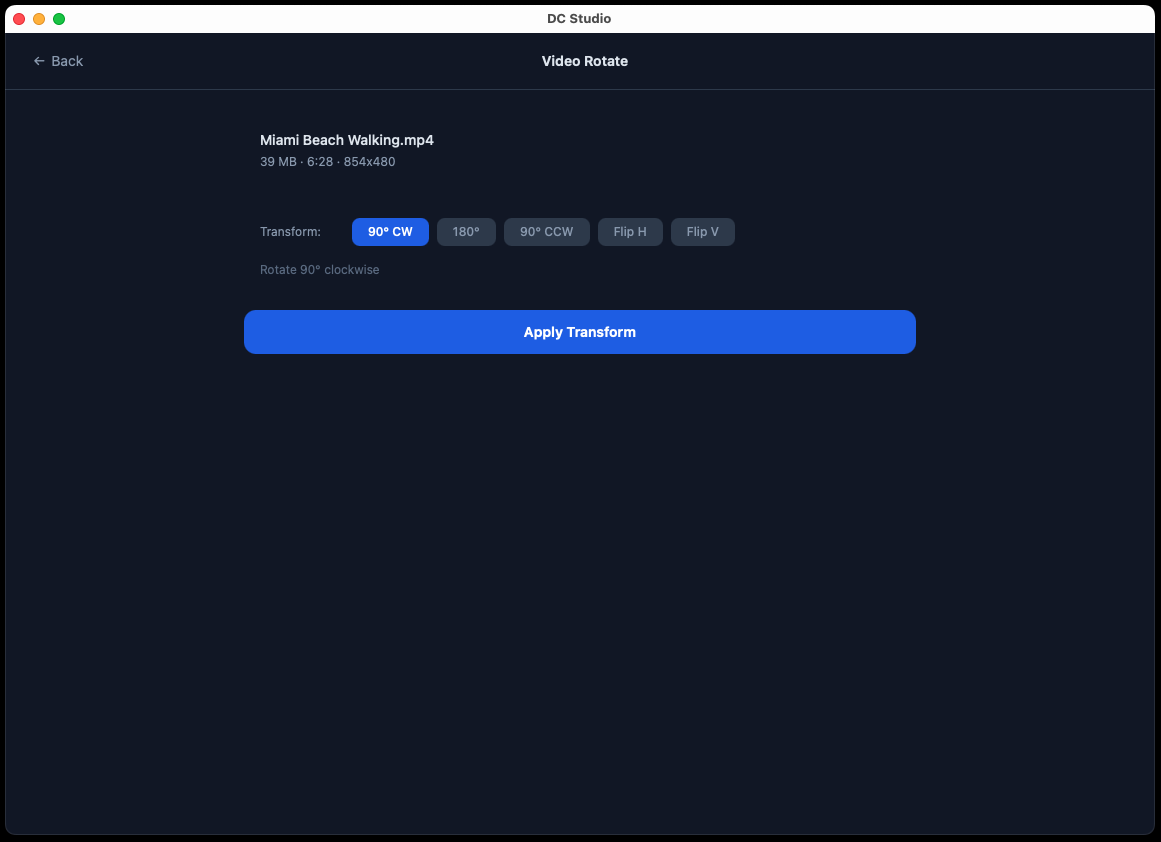
Video Rotate
Rotate videos 90°, 180°, or 270° and flip horizontally or vertically. Preview the orientation before export.
Video Watermark
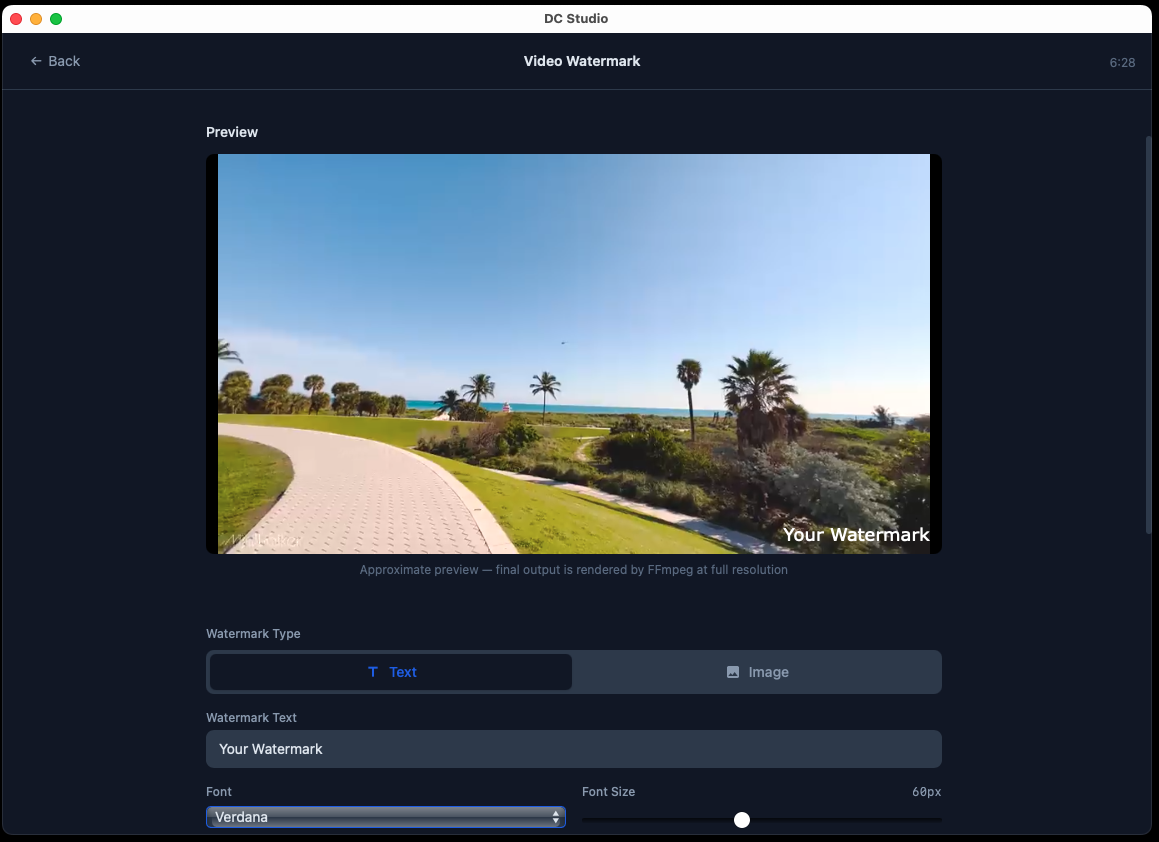
Add text or image watermarks to videos with adjustable position, opacity, and size controls.
Speed Changer
Speed up or slow down video and audio from 0.25x to 4x. Option to maintain audio pitch.
Video to GIF
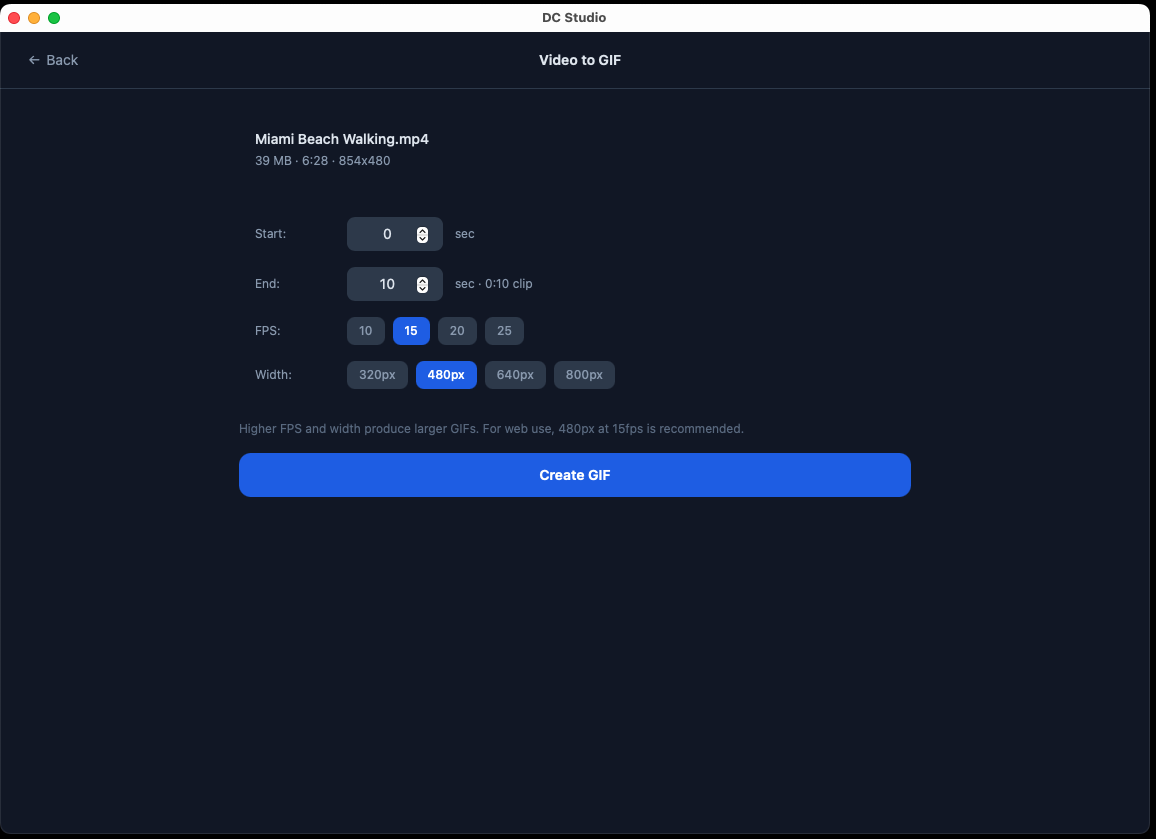
Convert video clips to animated GIFs with control over frame rate, resolution, and quality.
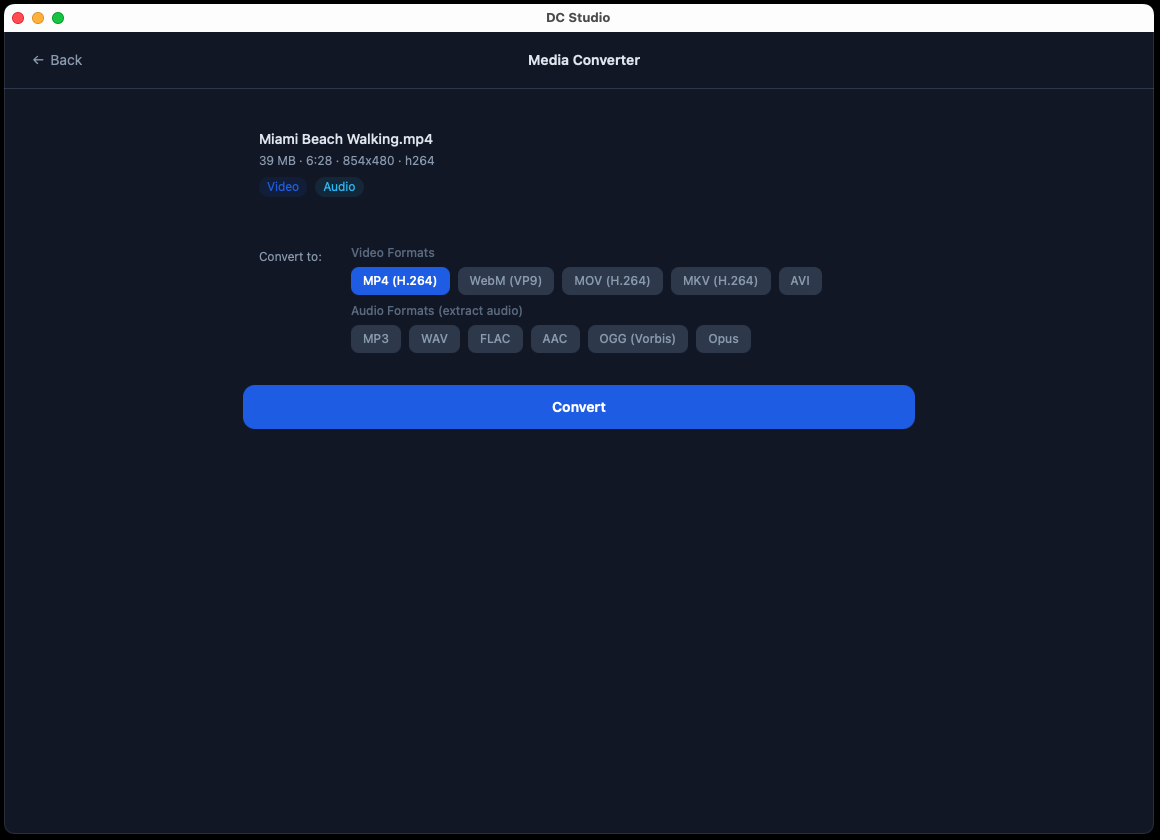
Media Converter
Convert between video, audio, and image formats. Supports MP4, MOV, AVI, MP3, WAV, PNG, JPG, and more.
Auto Subtitles
Transcribe speech locally with Whisper or translate it to English, then search and correct caption text and timing. Model downloads can resume.
Caption Import & Export
Import or export SRT and VTT files. Add a selectable subtitle track to MP4, or burn styled captions into the video.
Media Tracks
Inspect audio and subtitle tracks, choose what to keep, remove audio, or replace it with explicit controls for mismatched durations.
Batch Processing
Apply convert, compress, resize, audio extract, watermark, rotate, or speed change settings to many files with per-file progress.
Saved Workflows
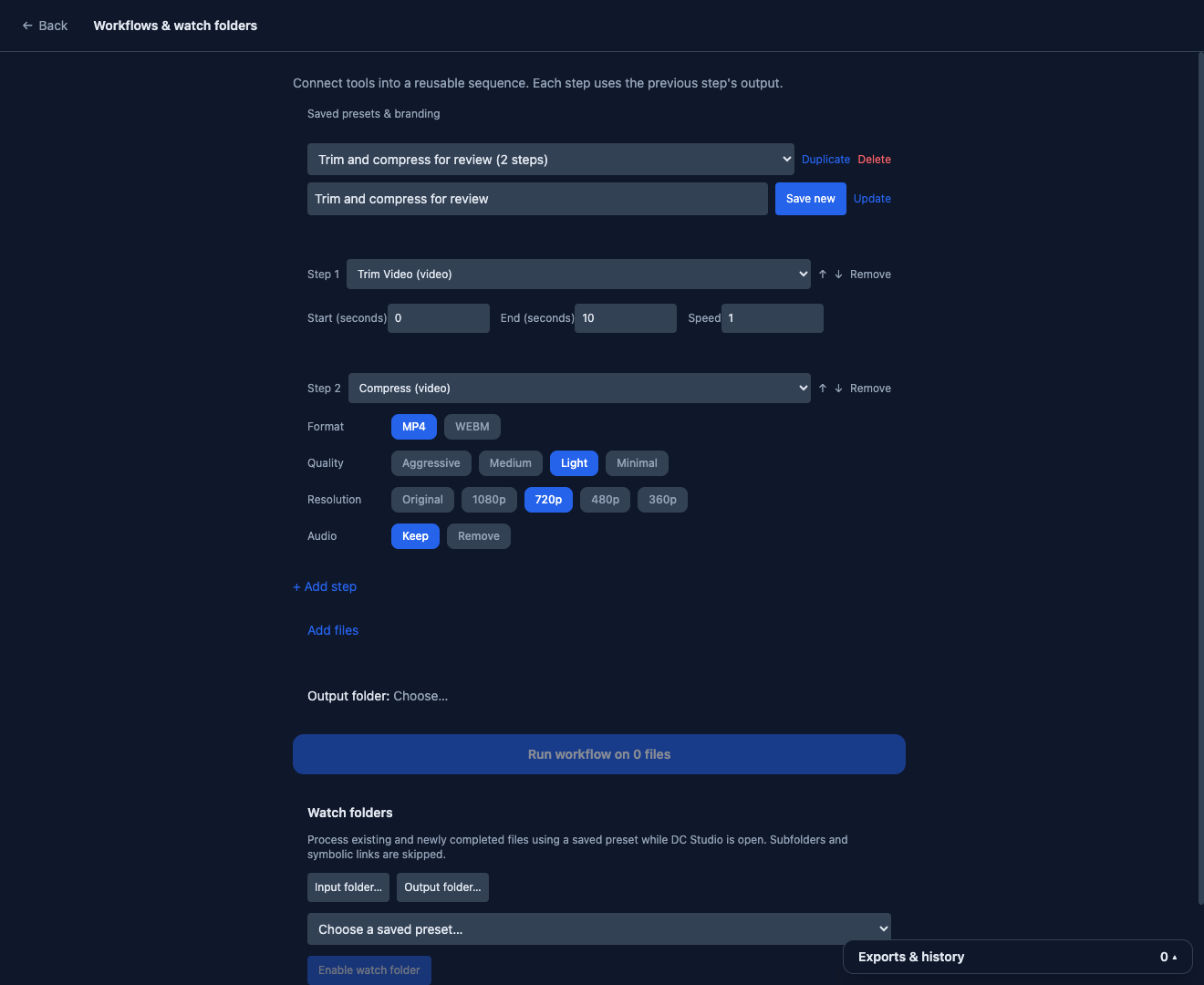
Connect operations into a saved sequence, import or export workflows as JSON, and name outputs with templates. Process multiple files automatically.
Watch Folders
Enable a saved workflow for a folder while the app is open. Chain folders safely, name outputs with templates, and review or retry each file.
Social Media Presets
One-click sizing for Instagram, TikTok, YouTube, and X. In fill mode, focus sliders let you choose the crop position.
Thumbnail Generator
Save a chosen video frame as JPEG or PNG, or export a contact sheet with configurable rows, columns, and thumbnail size.
Hardware Acceleration
See the detected encoder in Settings and choose hardware or software encoding. Available hardware encoders depend on your device.
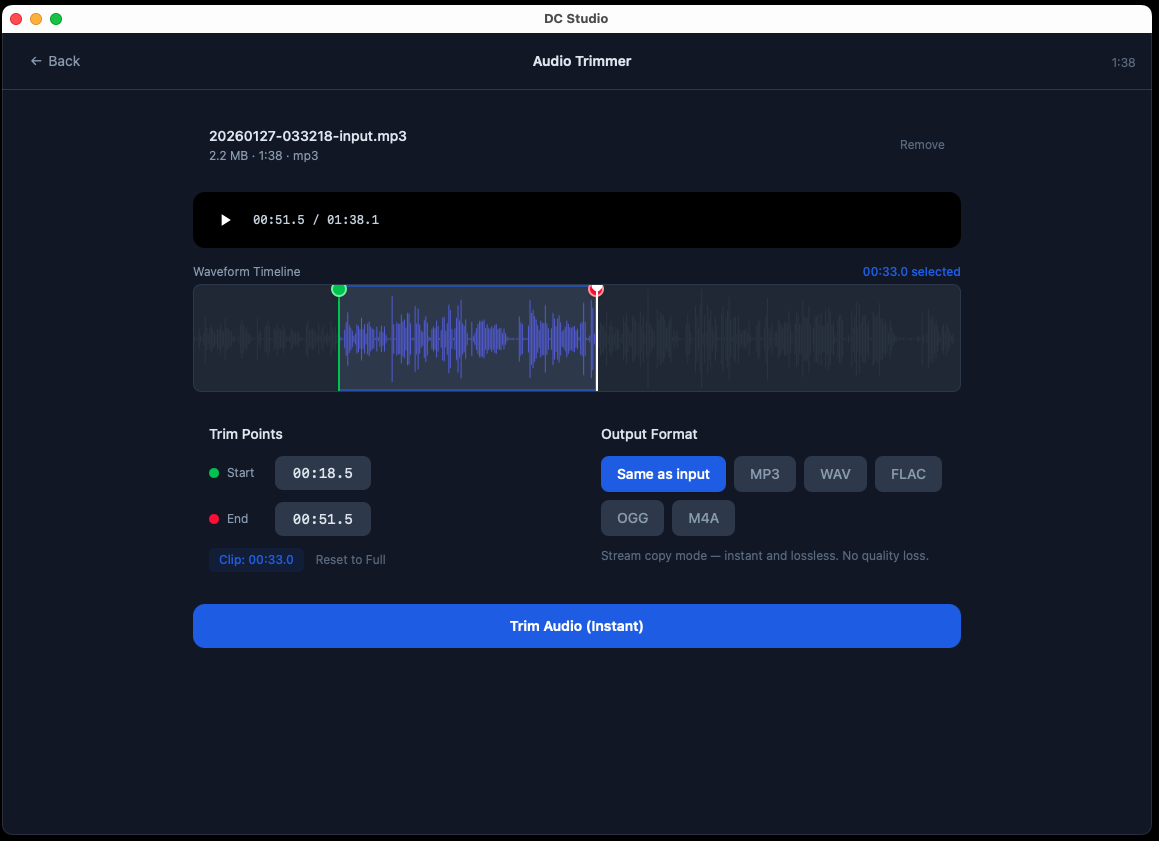
Audio Trimmer
Trim audio files with waveform display for precise start and end point selection. Export to multiple formats.
Audio Extractor
Extract audio tracks from video files. Export to MP3, WAV, FLAC, AAC, or OGG with quality selection.
Audio Normalizer
Match loudness to streaming, podcast, or broadcast targets using two-pass EBU R128 normalization.
Voice Cleanup
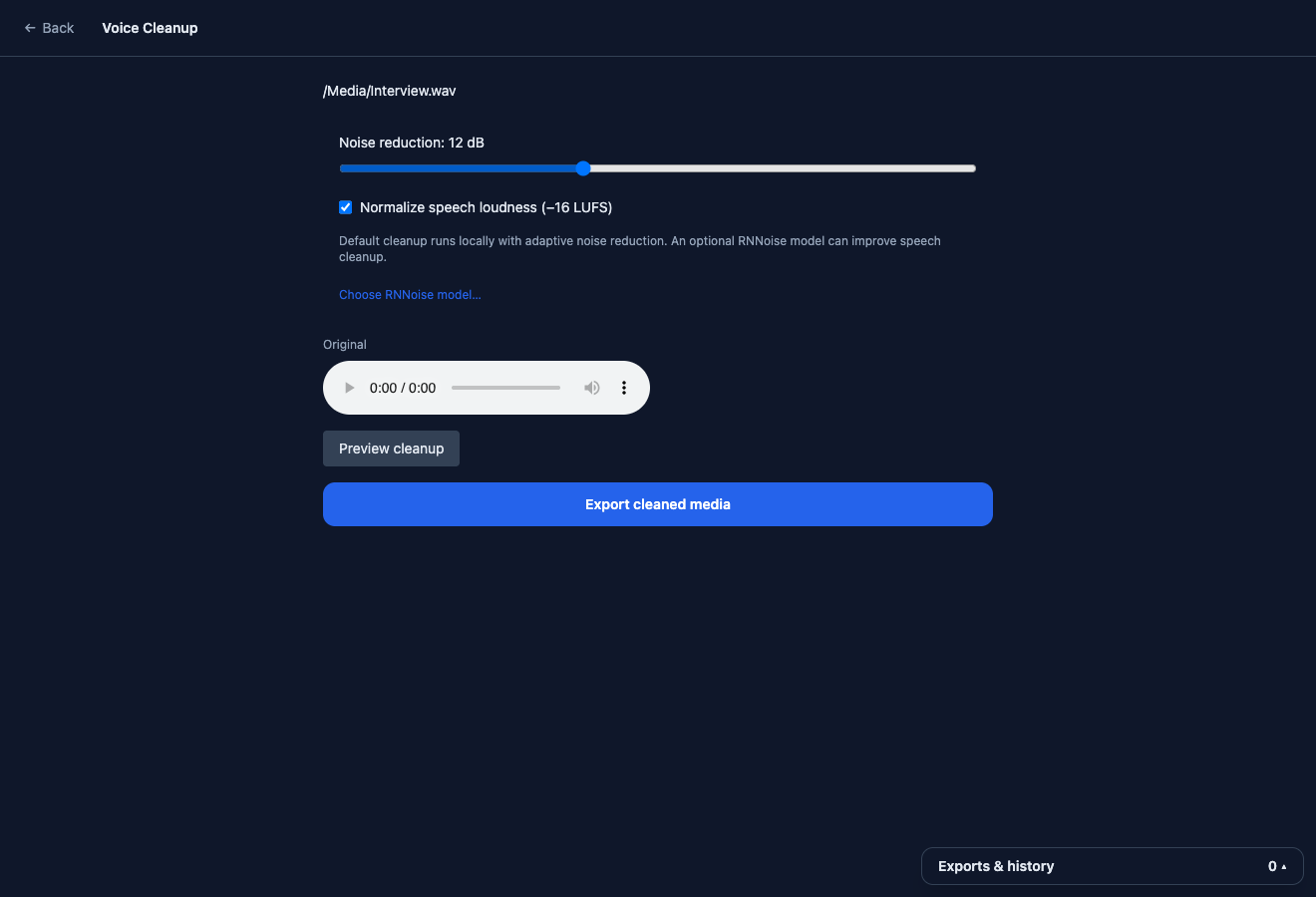
Reduce background noise locally, compare a short before/after preview, and optionally normalize loudness. RNNoise mode uses a model you supply.
Silence Remover
Detect silent gaps in video or audio and review them on a waveform before cutting.
Audio Speed Control
Use Speed Changer with audio files to adjust playback speed from 0.25x to 4x, with optional pitch preservation.
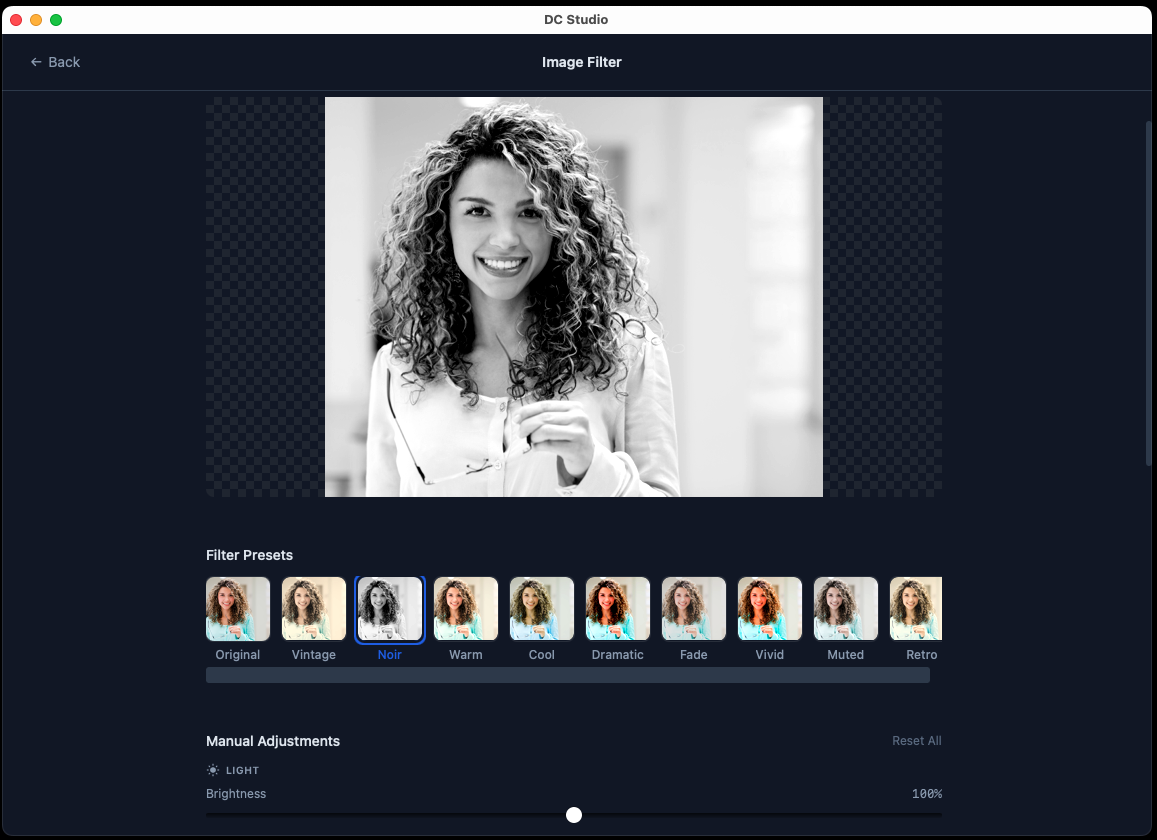
Image Filter
Apply adjustable filters including brightness, contrast, saturation, and blur with real-time preview.
Image Resize & Crop
Resize images by dimension or percentage with aspect ratio lock. Crop with precision controls.
Image Conversion
Convert images to another supported format with Media Converter, or resize a collection with Batch Processing.
Presets & Branding
Save, update, duplicate, or delete named presets, including watermark branding and output folders. Import or export presets as JSON.
Persistent Export History
Keep exports visible across tools. Follow progress, retry work, and compare input and output sizes to spot larger exports.
Send to Another Tool
Continue editing a completed export in another compatible tool directly from its history entry.
macOS & Windows
Native builds for macOS (Apple Silicon and Intel) and Windows (MSI and portable ZIP).
Offline Processing
Video, audio, image processing, and transcription run on your machine. Your media is not uploaded.
Portable Mode
Windows portable ZIP runs without installation. Carry it on a USB drive.
See It In Action
Explore the interface with screenshots of each tool and feature.
Key Features
- 22 media tools in one app for video, audio, images, captions, and reusable workflows
- Local Whisper transcription with editable captions, SRT/VTT import/export, and selectable or burned-in subtitles
- Whisper translation to English and resumable speech-model downloads
- Named presets, saved branding settings, and remembered output folders
- Persistent export history with progress, cancel, retry, open/reveal, and handoff to another tool
- Saved workflows and watch folders that process stable files while the app is open
- JSON import/export for presets and workflows, with output naming templates
- Voice Cleanup with a before/after preview and optional RNNoise model support
- JPEG/PNG video thumbnails and configurable contact sheets
- Audio and subtitle track selection, audio removal, and audio replacement
- Batch Processing to run one operation across many files with per-file progress
- Silence Remover that auto jump-cuts silent gaps from video and audio
- Social Media Presets for Instagram Reels, TikTok, YouTube Shorts, and more
- Audio Normalizer with two-pass EBU R128 loudness matching for streaming and podcasts
- Video merge with drag-to-reorder and optional crossfade transitions
- Precise video trimming and splitting alongside faster keyframe-snapped modes
- Speed changer for video and audio (0.25x–4x) with pitch preservation
- Audio extractor pulls audio tracks from video to MP3, WAV, FLAC, AAC, or OGG
- Image resize & crop with aspect ratio lock and precision controls
- Visual timelines and waveforms to help choose edit points
- Safer exports that preserve existing files when processing fails or is cancelled
- FFmpeg bundled, so no separate installation is needed
- Hardware encoding where supported, with an encoder preference in Settings
- Offline processing that keeps all media, including AI transcription, on your machine
- Available as a macOS DMG, Windows MSI, or Windows portable ZIP
- macOS (Intel & Apple Silicon) and Windows builds
- Completely free, no ads, no account required
How It Works
Pick a Tool
Choose from 22 tools, including Auto Subtitles, Voice Cleanup, Media Tracks, Thumbnail Generator, and Workflows & Watch Folders.
Load Your File
Drag and drop or browse to select your video, audio, or image file. The tool reads its metadata and prepares the available preview.
Export
Adjust settings and export. Follow progress in export history, then open the result or send it to another compatible tool.
Who Is This For?
DC Studio is built for:
Content Creators who need quick edits without opening heavyweight editors
Social Media Managers trimming clips and converting formats for different platforms
Developers who need a fast media tool without CLI complexity
Students & Educators preparing media for presentations and coursework
Anyone who wants simple, offline media editing without subscriptions
System Requirements
macOS
- macOS 11+ (Big Sur or later)
- Apple Silicon (M1/M2/M3/M4) or Intel
- Space for the app, media exports, and optional speech models
Windows
- Windows 10 or 11 (64-bit)
- Space for the app, media exports, and optional speech models
- MSI installer or portable ZIP
FFmpeg is bundled with the app. No separate installation is needed. FFmpeg 7.1.5 source and build instructions (the same binaries used in 0.6.0): macOS Windows.
Getting Started
- 1
Download and install
Run the DMG on macOS or the MSI installer on Windows. Or use the portable ZIP on Windows — no installation required.
- 2
Pick a tool
The dashboard shows all available tools. Click one to get started.
- 3
Load your media file
Drag and drop or browse to select a file. The preview loads automatically.
- 4
Adjust and export
Set your options (trim points, quality, format), preview, then export. Done.
Changelog
v0.6.0 · September 23, 2026
More control over cuts, merges, workflows, and transcription, with fixes across media exports and saved data.
- Precise cuts and transitions. Trim or split at exact times with re-encoding, or choose faster keyframe-snapped cuts. Merge clips with fade, dissolve, wipe, or slide transitions.
- Reusable settings. Import and export presets or workflows as JSON, name workflow and watch-folder outputs with templates, and see input/output size comparisons in export history.
- Captions and models. Translate speech to English with Whisper, resume interrupted speech-model downloads, and export captions with more tolerant timing and overlap handling.
- Social crops. Position the subject in fill-mode social presets with focus sliders.
- More reliable exports. Fixes cover rotated video, small VideoToolbox encodes, multichannel Opus audio, image filters and JPEG transparency, compressor sizing, watch-folder chains, and cleanup when an export fails or the app quits.
v0.5.0 · September 10, 2026
Reusable workflows, editable captions, and four new tools bring the dashboard to 22 tools.
- Presets and branding. Save, load, update, duplicate, and delete named presets, including watermark settings and remembered output folders.
- Export history. Keep progress and cancellation available when navigating between tools. Retry with saved settings, open or reveal results, and send finished files to another compatible tool. Jobs interrupted by an app restart are marked in history.
- Editable captions. Correct text and timing, search captions, import/export SRT or VTT, and choose selectable MP4 subtitles or styled captions burned into video.
- Workflows and watch folders. Save a sequence of supported operations for multiple files. Explicitly enable a watch folder while the app is open to process stable files, skip outputs and already processed files, and review or retry results.
- Voice Cleanup. Adjust local noise reduction, compare a short before/after preview, and optionally normalize loudness. RNNoise mode requires a separately supplied model.
- Thumbnail Generator. Export an individual JPEG/PNG video frame or a configurable contact sheet.
- Media Tracks. Inspect and select audio/subtitle tracks, remove audio, or replace it with controls for duration differences.
- Export reliability. Fixed split filename collisions, mixed-audio merges, progress reporting, batch failures and cancellation, special characters in file paths and watermarks, and incompatible container/codec combinations.
- Failed or cancelled processing preserves existing files. Empty or incomplete results are not published as finished exports, and missing files receive clearer diagnostics.
v0.4.0 — Local AI Subtitles, Batch Processing & 5 New Tools
- Auto Subtitles: Transcribe speech to subtitles entirely on your device with Whisper AI. Export an SRT file or embed a subtitle track into MP4. Nothing is uploaded and no account is needed.
- Batch Processing: Run one operation across many files at once, covering convert, compress, image resize, audio extract, watermark, rotate, and speed change, with per-file progress.
- Silence Remover: Detect silent gaps and jump-cut them out of video and audio in a single pass, with a waveform preview of what gets removed.
- Social Media Presets: One-click output sizing for Instagram Reels, TikTok, YouTube Shorts, Instagram Feed, YouTube, and X, in fill or fit modes.
- Audio Normalizer: Match loudness to streaming, podcast, or broadcast standards using two-pass EBU R128 normalization.
- Settings and hardware acceleration toggle: See the detected GPU encoder and switch between GPU and software encoding.
- Redesigned home screen with a single tool grid and category filters, so every tool is visible at the default window size
- Fixed hardware acceleration detection on Intel Macs that had reported no GPU on machines that in fact support one
- App now includes 18 media tools, up from 13
- All macOS builds are signed, notarized, and stapled. All Windows builds are signed with Azure Trusted Signing.
- macOS 11 Big Sur is now the minimum, required by the on-device AI engine
v0.3.2 — Updated Links
- Updated in-app links for the new app hosting domain apps.digitalcoding.com, including Terms and Conditions and Privacy Policy
- Contact and custom project links now point to the new start a project page
v0.3.1 — Windows Bug Fixes
- Fixed sidecar binaries (ffmpeg/ffprobe) not found on Windows after MSI install
- GPU encoder detection now verifies encoders actually work before selecting them
- Added software H.264 encoding fallback for systems without GPU encoders
v0.3.0 — 4 New Tools & Windows Setup Installer
- Speed Changer: Speed up or slow down video and audio from 0.25x to 4x with optional pitch preservation
- Video Merge: Combine multiple video clips into a single file with drag-to-reorder
- Audio Extractor: Extract audio tracks from video files to MP3, WAV, FLAC, AAC, or OGG
- Image Resize & Crop: Resize images by dimension or percentage with aspect ratio lock and precision crop
- New Windows setup installer (EXE) alongside existing MSI and portable ZIP
- All Windows binaries signed with Azure Trusted Signing
- All macOS DMGs signed, notarized, and include EULA license agreement
- App now includes 13 media tools (up from 9)
v0.2.0 — GPU Encoding & LGPL Compliance
- GPU-accelerated video encoding via VideoToolbox (macOS), NVENC (NVIDIA), QSV (Intel), and AMF (AMD)
- Automatic hardware encoder detection with software fallback
- LGPL-compliant FFmpeg build: replaced libx264 (GPL) with libopenh264 (BSD)
- Shared encoder module across all video tools for consistent quality
- Fixed Image Filter export on macOS (manual pixel processing for WKWebView compatibility)
- Third-party license notices bundled in app
v0.1.0 — Initial Release
- Video Trimmer with waveform visualization and timeline scrubbing
- Video Splitter for dividing videos into segments
- Video Rotate with flip and rotation options
- Video Compressor with quality presets and target file size
- Video to GIF converter with frame rate and quality controls
- Video Watermark with text/image overlay support
- Audio Trimmer with waveform display
- Image Filter editor with adjustable parameters
- Media Converter for video, audio, and image formats
- macOS builds for Apple Silicon and Intel
- Windows builds: MSI installer and portable ZIP
What's Next?
Future work under consideration includes the following tools.
- Screen and webcam recording
- Subject tracking and automatic framing
- Video stabilization and LUT-based color grading
- Chapter markers and AI-assisted frame selection
- Linux installers
Have a suggestion? We'd love to hear what tools you need most.
Get Started Today
Download DC Studio and handle all your media editing needs with one free, offline desktop app.
Download Now
Need a Custom Desktop Application?
We build modern, cross-platform desktop applications tailored to your business needs. From internal tools and data analyzers to customer-facing software. Tell us your requirements and we'll build a polished application.
Discuss Your Project