
Free Software
FREESyphon Download Manager
A powerful cross-platform download manager for files and streaming media
A cross-platform download manager that handles both regular file downloads and media from 1000+ streaming sites. Two engines, one app.
Downloading files should be simple. Instead, you're stuck using browser extensions that break, online converters packed with ads, or command-line tools that require technical knowledge. There's a better way.
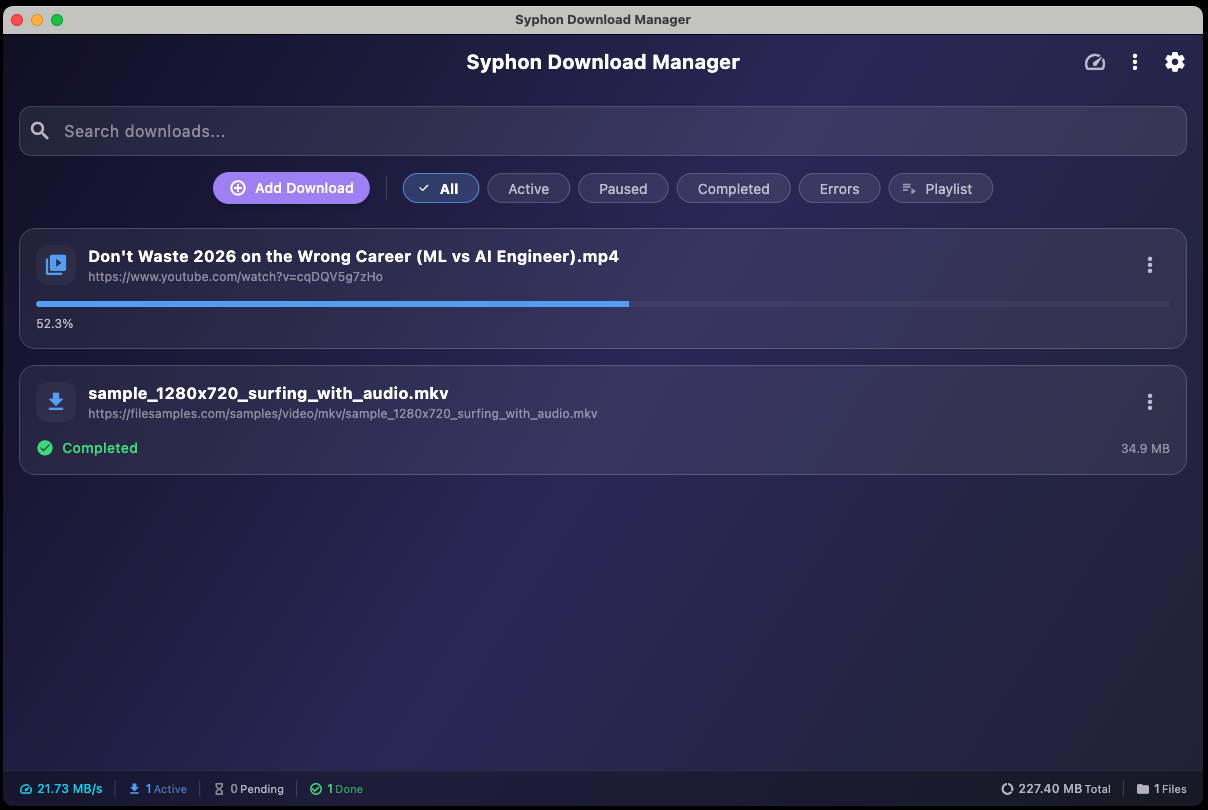
Syphon Download Manager combines two powerful download engines in one intuitive app. Paste any URL and it just works, whether it's a streaming video, a large file, or an entire playlist.
Download Syphon Download Manager
Select your platform and accept the terms to download.
5 platforms available. Select your platform above.
Syphon runs entirely on your device. Downloads are handled by yt-dlp and a native HTTP engine — no cloud middleman. Your download history and settings stay local.
Two Download Engines
Uses yt-dlp for 1000+ streaming sites and a native HTTP client for direct file downloads. The app automatically picks the right engine.
Multi-Threaded Chunked Downloads
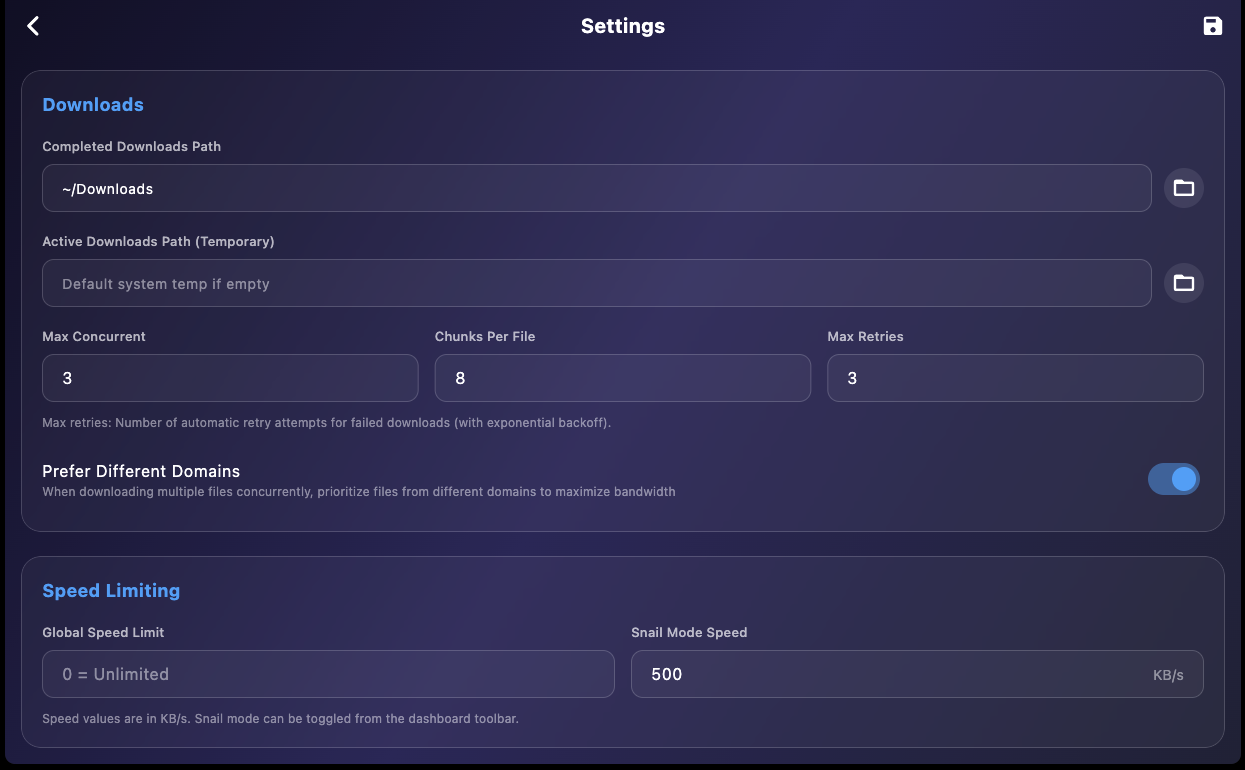
Large files download faster by splitting into parallel chunks. Configure chunk count for optimal speed.
Playlist Support
Download entire playlists from supported sites. Select which videos you want, pick quality, and batch download.
Cookie Import
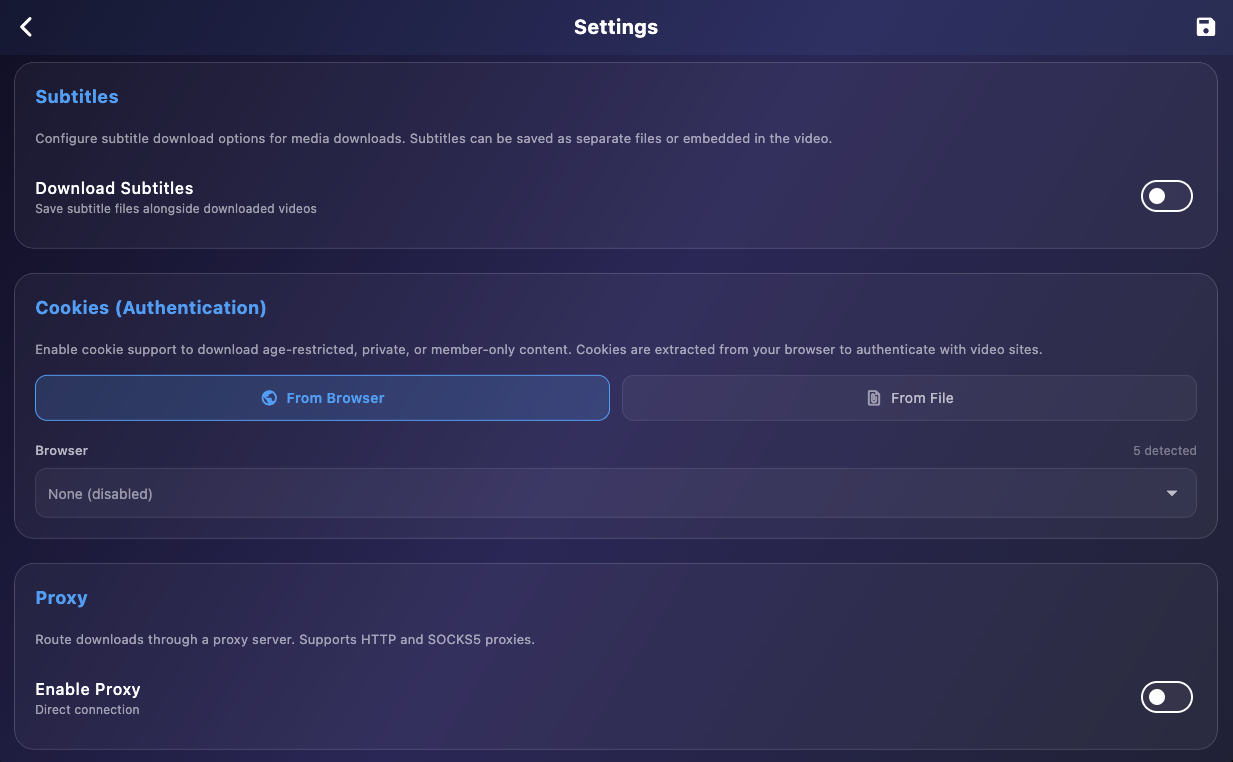
Download age-restricted or private content by importing cookies from Chrome, Firefox, Safari, Edge, and more.
Proxy Support
Route downloads through HTTP or SOCKS5 proxies with optional authentication.
No Cloud Dependency
All processing happens locally. Your download activity stays private on your machine.
Subtitle Support
Download subtitles in 12 languages. Save as separate files or embed directly into video container.
Quality Selection
Choose from available formats: Best Quality, specific resolutions (1080p, 720p), or audio-only.
Post-Download Video Conversion
Shrink finished videos to 1080p, 720p, or 480p with FFmpeg. Audio, subtitles, and cover art are kept, and you can keep the original next to the smaller copy.
Audio Only (MP3/M4A)
Pull just the audio track from a video and save it as a real MP3 or M4A file.
yt-dlp Auto-Update
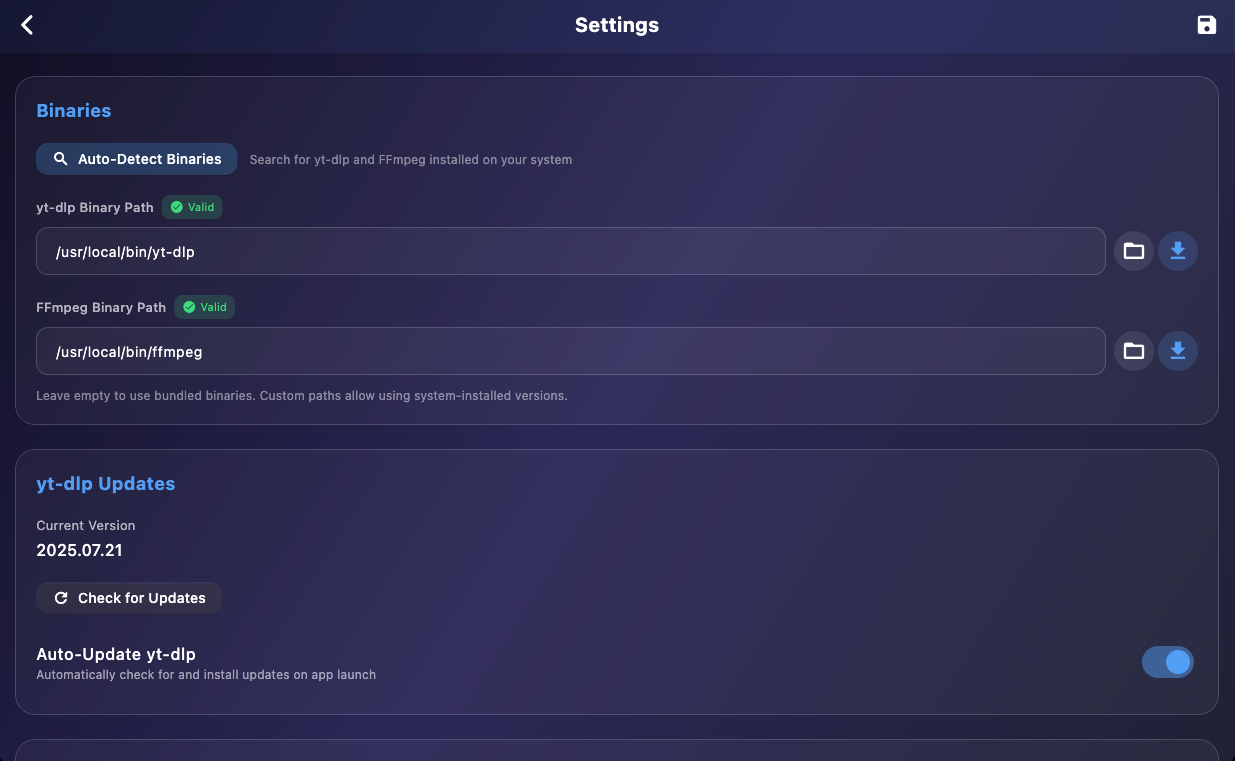
Keep yt-dlp updated automatically. Downloads from GitHub, backs up old binary, restores if needed.
Smarter Video Selection
Pages with several videos no longer end up downloading a preview or trailer. Syphon picks the main video only when it is clear, and asks you otherwise.
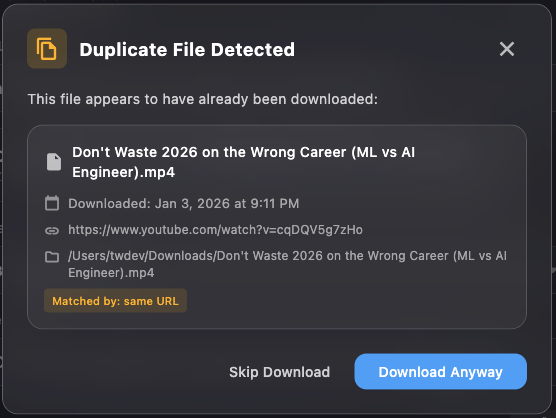
Duplicate Detection
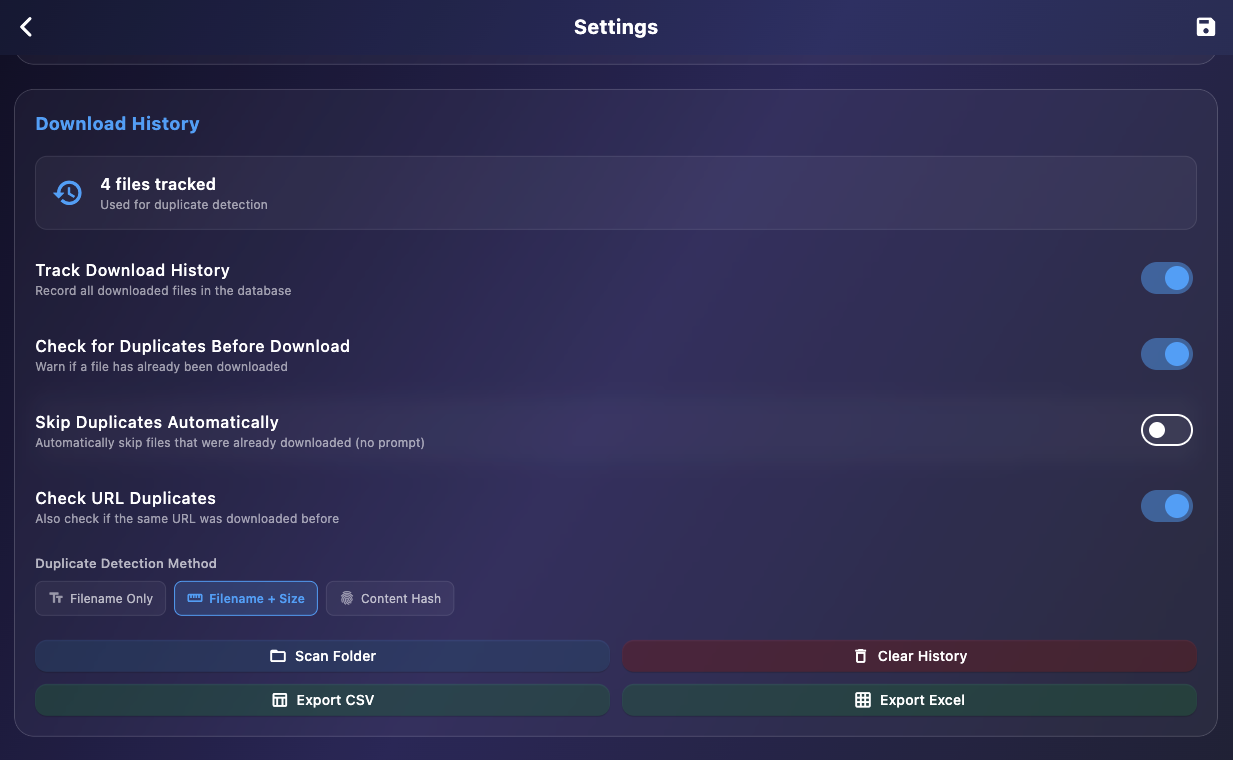
Tracks every download in SQLite. Match by filename, size, or MD5 hash to avoid re-downloading.
Domain-Aware Concurrency
Limits connections per domain while maximizing total bandwidth across different sources.
Automatic Retry
Failed downloads retry with exponential backoff. Handles timeouts and temporary server errors.
Organize by File Type
Optionally route videos, music, documents, archives, and programs into their own folders as they finish.
Live Speed & Time Left
Every row shows its own speed and time remaining, with totals in the status bar, window title, and tray menu.
Resume After Restart
Downloads interrupted by a crash or shutdown are recovered on the next launch and the queue picks up where it left off.
Clipboard Monitoring
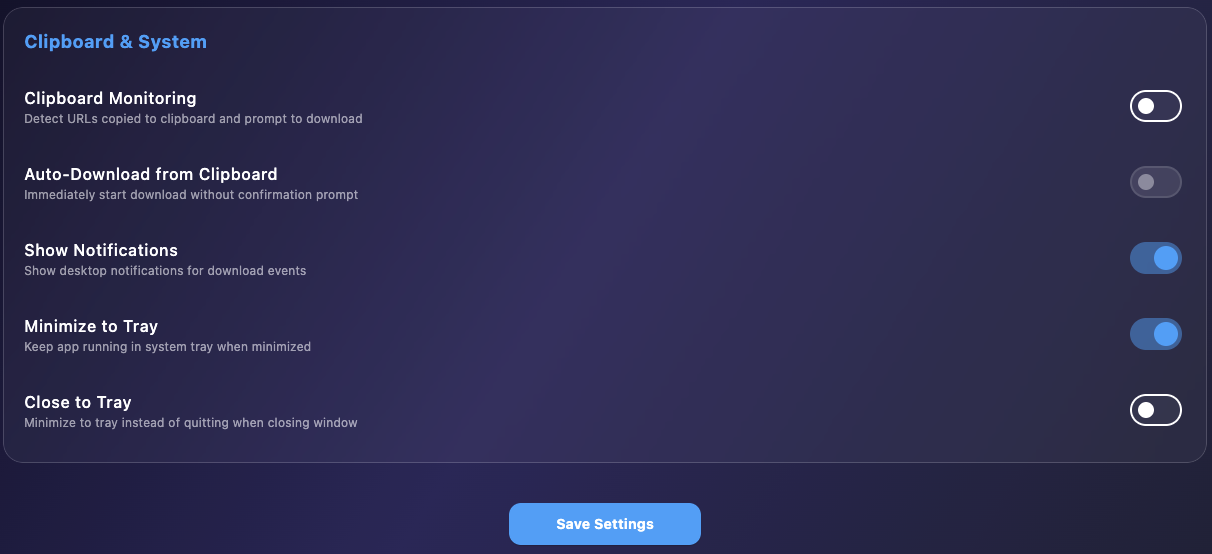
Automatically detect URLs you copy. Prompt to download or start automatically.
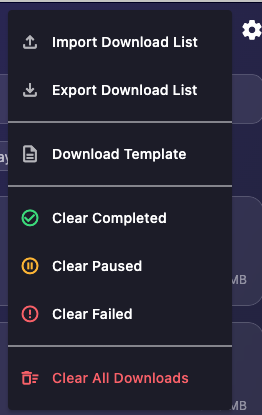
Import/Export Lists
Share download lists via CSV or Excel. Import to queue bulk downloads.
Open in Browser
When a site needs a click or a prompt before the video plays, open it in a separate browser window, press Play, and pick the stream Syphon captured.
Force Download
Start a task over from its original page URL. Syphon removes only the files that task owns, analyzes the page again, and downloads fresh.
AI & Automation (REST + MCP)
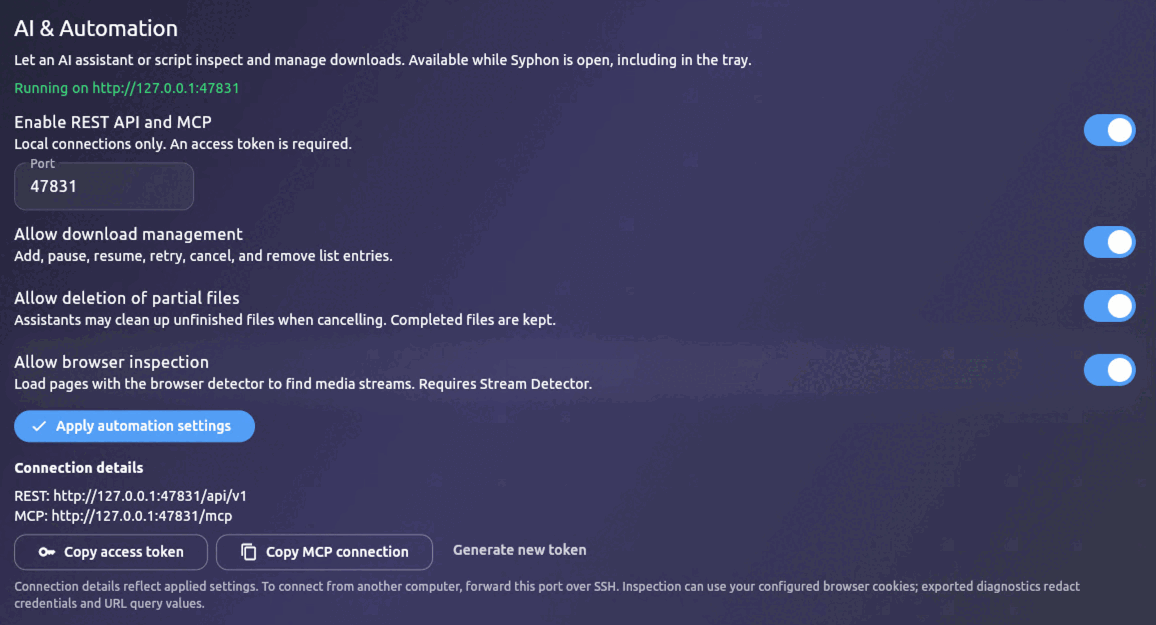
Let AI assistants and scripts manage your queue through a local REST API and MCP server. Off by default, protected by an access token, and bound to your own machine only.
System Tray
Minimize to tray, close to tray options. Quick actions from tray menu.
Launch at Startup
Start Syphon when you sign in, optionally minimized to the tray, on macOS, Windows, and Linux.
Speed Limiting
Set global speed limits. Snail mode toggle for quick throttling when you need bandwidth.
Desktop Notifications
Get notified when downloads complete or fail. Click to bring app to foreground.
Cross-Platform
Native feel on macOS, Windows, and Linux. Built with Flutter for consistent experience.
See It In Action
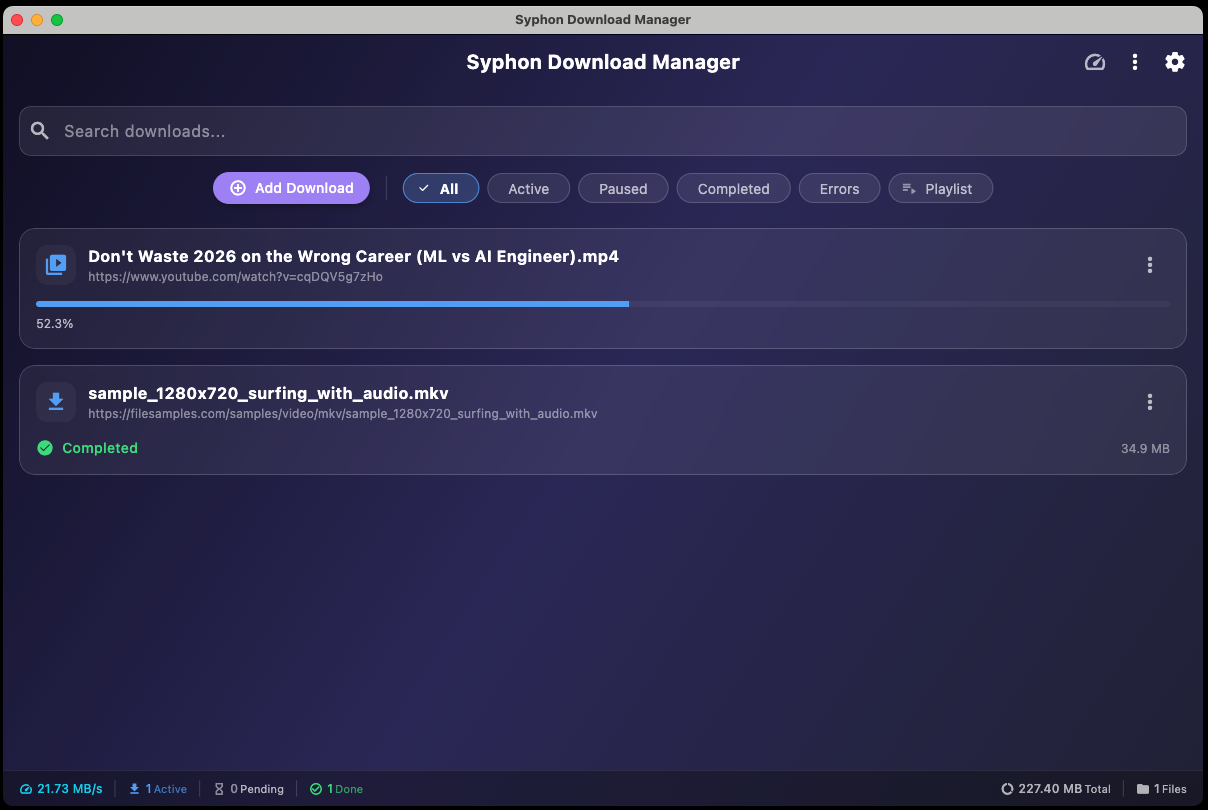
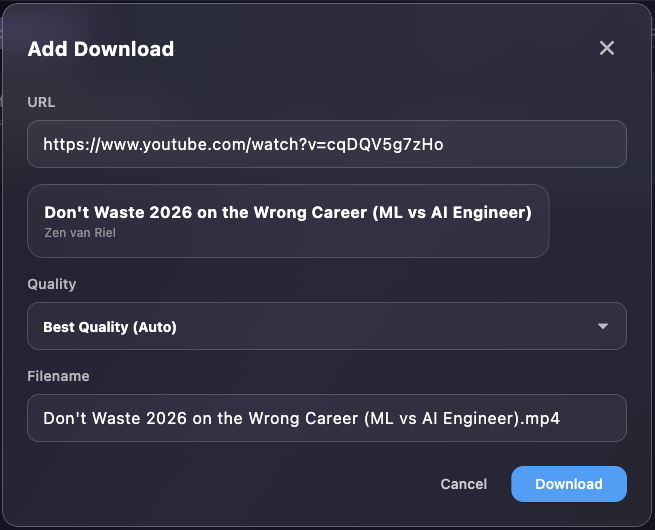
Explore the interface with these screenshots showing key features and settings.

Key Features
- Download from 1000+ streaming sites via yt-dlp
- Multi-threaded chunked downloads for fast direct file transfers
- Playlist support with selective video downloads and batch processing
- Cookie import from 8 major browsers for authenticated downloads
- Proxy support (HTTP/SOCKS5) for privacy and access control
- Automatic subtitle downloads in 12 languages with embedding option
- Duplicate detection prevents re-downloading the same files
- Clipboard monitoring with auto-download or prompt mode
- System tray integration with background operation and launch at startup
- Optional downscaling of finished videos to 1080p, 720p, or 480p
- Local REST API and MCP server so AI assistants can add and manage downloads
- Browser-assisted capture for sites that need a click before the video plays
- Live speed and time remaining for every download
- Cross-platform: macOS (Intel & Apple Silicon), Windows, Linux
How It Works
Paste URL
Copy any URL and click Add Download, or enable clipboard monitoring for automatic detection.
Choose Quality
For media, select video quality or audio-only. For files, Syphon handles everything automatically.
Download
Watch progress in real-time. Get notified when done. Files saved to your chosen location.
Who Is This For?
Syphon Download Manager is built for:
Content Creators who need to archive or reference online media
Researchers collecting video content for analysis
Media Professionals managing large download queues efficiently
Power Users who want more control than browser extensions offer
Privacy-Conscious Users who prefer local processing over cloud services
Anyone tired of slow, ad-filled online downloaders
System Requirements
- macOS: macOS 11 (Big Sur) or later. Apple Silicon and Intel supported.
- Windows: Windows 10 or later (64-bit)
- Linux: Ubuntu 22.04+ or equivalent. AppImage runs on most distributions.
- Dependencies: yt-dlp and FFmpeg required for media downloads. Can be downloaded from within the app.
Getting Started
- 1
Download and install
Run the installer for your platform (DMG for macOS, MSI for Windows, AppImage for Linux).
- 2
Configure binaries
Go to Settings and set up yt-dlp and FFmpeg. Use Auto-Detect to find existing installations or Download to get them.
- 3
Set download location
Choose where you want files saved by default.
- 4
Start downloading
Paste a URL and click Add Download. That's it!
Changelog
Version 1.2.0.6 - Browser-Assisted Downloads & Force Download
Released: September 24, 2026
New
- Open in Browser: For sites that need a click, a prompt, or a press of Play before the video loads, Add Download and Force Download can open the page in a separate temporary browser window. Press Play there, come back to Syphon, and pick the stream it captured. Syphon never clicks, signs in, or picks a stream for you.
- Force Download: Start any task over from its original page URL. Syphon analyzes the page again, removes only the files that belong to that task, and downloads fresh. You confirm before anything is deleted.
- Original URL in Download Info: Each task now keeps the page you added, shown next to the stream URL it actually downloaded.
Improvements
- Browser-detected streams skip known advertising domains, previews, and trailers, and Syphon asks you to choose when more than one real video remains.
- HLS videos with separate audio and video tracks are grouped and downloaded together.
- Quality and duration are shown for captured streams when the site provides them.
- Headers from the browser session are passed to the downloader so protected streams are more likely to work.
- Retrying a failed page entry gives it its own filename based on the video title, so duplicate failed entries can be retried separately.
Bug Fixes
- Browser fallback could save an advertisement instead of the main video
- Some direct .m3u8 and .mpd links were treated as empty playlists
Stream Detector 1.1.0
- Open in Browser needs Stream Detector 1.1.0. Update it from Settings after installing Syphon 1.2.0.6.
- Waits longer after playback so late-loading video manifests are found, and always closes its browser when finished.
- Updated bundled Chromium.
Platform Support
- macOS: DMG for Apple Silicon and Intel, signed and notarized
- Windows: MSI installer and Portable ZIP, signed by DIGITALCODING, LLC
- Linux: AppImage
Version 1.1.0.5 - AI Automation, Video Conversion & Reliability
Released: September 23, 2026
New
- AI & Automation: An optional local REST API and MCP server let AI assistants and scripts list, add, pause, resume, retry, and cancel downloads, inspect a URL before adding it, and read diagnostics for failed jobs. It is off by default, needs an access token, and only listens on your own machine.
- Post-Download Video Conversion: Downscale finished videos to 1080p, 720p, or 480p with FFmpeg. Audio, subtitles, and cover art are kept, and you can keep the original next to the smaller copy.
- Audio Only: Save just the audio as a real MP3 or M4A file.
- Launch at Startup: Start Syphon when you sign in, optionally minimized to the tray, on macOS, Windows, and Linux.
- Organize by File Type: Optionally sort finished downloads into folders for videos, music, documents, archives, and programs.
- Default Quality: Set a quality cap used when you do not pick a format. The Add dialog shows what "Auto" will download.
- Live Speed & Time Left: Every download shows its own speed and time remaining, with totals in the status bar, window title, and tray menu.
- Custom User Agent: Choose the user agent sent by both the media engine and direct downloads.
- Download Timestamps: Completed rows show when the file finished and failed rows show when the last attempt failed.
Improvements
- Pages with several videos no longer download a preview or trailer by mistake. Syphon picks the main video only when it is clear and asks you otherwise.
- Downloads interrupted by a crash or shutdown are recovered on the next launch and the queue resumes.
- Long titles, including Chinese, Japanese, and emoji titles, are shortened safely and never overwrite an existing file.
- Files keep their real extension after merging and audio conversion, so a video is no longer saved as .mp4.webm.
- Clicking a notification jumps to that download in the list.
- Subtitle, embedded thumbnail, and embedded metadata settings now apply to every media download.
- File > Add URL and Cmd/Ctrl+N open the Add dialog.
Bug Fixes
- Pausing a download could mark it as completed
- Pause and resume on direct downloads could start two writers on the same file
- Open File and Show in Folder could hang
- Restart and Remove did not always stop the running download
- Web pages were sometimes saved as a download when no video was found
- CSV import broke on quoted fields that span several lines
- The Linux build showed a generic icon in the dock and app menu
Platform Support
- macOS: DMG for Apple Silicon and Intel
- Windows: MSI installer and Portable ZIP, signed by DIGITALCODING, LLC
- Linux: AppImage
v1.0.0.4 — Updated Links
- Updated in-app links to the new app hosting domain apps.digitalcoding.com, including Terms & Conditions and Privacy Policy
- Contact and custom project links now point to the new start a project page
Version 1.0.0.3 - Windows Portable & Build Updates
Released: February 12, 2026
New
- Windows Portable: New portable ZIP version for Windows — no installation required, run from any folder or USB drive
- Stall Detection & Auto-Retry: Detects downloads with no progress and automatically retries them when the queue is idle
- Configurable Stall Timeout: Set stall detection timeout from 1 to 30 minutes in Settings
Improvements
- Updated to Flutter 3.38.5 (Dart 3.10.4) across all platforms
- All Windows binaries now code-signed with Azure Trusted Signing (DIGITALCODING, LLC certificate)
- Both macOS DMGs signed and notarized with Apple Developer ID
Platform Support
- macOS: DMG for Apple Silicon (20 MB) and Intel (20 MB)
- Windows: MSI installer (11 MB) and Portable ZIP (13 MB) — NEW
- Linux: AppImage (17 MB)
Version 1.0.0.2 - Bug Fixes & Feature Updates
Released: January 7, 2025
✨ New Features
- Stream Detector Integration: Added browser-based media extraction for seamless download workflow from supported streaming sites
- Clipboard Auto-Download: Improved clipboard monitoring with silent failure handling for better user experience
- Enhanced Status Messages: Added detailed status indicators for download queue items and processing states
- Download List Management: Import/export download lists via CSV or Excel for sharing and backup
- Download History Export: Export your complete download history to CSV or Excel formats
- Real-Time Status Bar: New status bar showing live download statistics and activity
- Clear by Status: Quickly clear completed, failed, or cancelled downloads from your queue
🐛 Bug Fixes
- Fixed clipboard duplicate detection not working correctly
- Fixed status message display issues in download list
- Fixed max concurrent downloads setting not being respected
- Fixed media download issues and improved HLS progress tracking
- Fixed YouTube download problems with better format selection logic
- Fixed download progress display for HLS/streaming content
- Fixed Terms & Conditions dialog not appearing on macOS first launch
- Fixed stream-detector extraction to properly copy entire extension directory
⚡ Improvements
- Increased yt-dlp probe timeout for better reliability with known video hosts
- Improved extraction reliability for adult content sites (stream-detector)
- Disabled Download button during URL processing to prevent accidental double-clicks
- Updated Terms & Conditions to match latest DigitalCoding policies
- Added domain-aware concurrent download selection for optimal bandwidth usage
📦 Platform Support
- Windows: MSI installer (11.1 MB)
- Linux: AppImage (17.1 MB)
- macOS: DMG for Intel (19.7 MB) and Apple Silicon (19.7 MB)
Version 1.0.0.1 - Initial Release
- Two download engines: yt-dlp for streaming sites and native HTTP for direct downloads
- Multi-threaded chunked downloads for faster file transfers
- Playlist support with selective video downloads
- Cookie import from 8 major browsers
- Proxy support (HTTP/SOCKS5)
- Automatic subtitle downloads in 12 languages
- Duplicate detection with SQLite history tracking
- Clipboard monitoring with auto-download
- System tray integration
- Cross-platform: macOS (Intel & Apple Silicon), Windows, Linux
What's Next?
We're actively developing new features including:
- Browser extension for one-click downloads
- Scheduler for timed downloads
- Download speed scheduling by time of day
- More streaming site support as yt-dlp updates
- Localization for additional languages
We'd love to hear your suggestions. This tool was built to make downloading simple and fast.
Get Started Today
Download Syphon Download Manager and take control of your downloads with a modern, powerful desktop app.
Download Now
Need a Custom Desktop Application?
We build modern, cross-platform desktop applications tailored to your business needs. From internal tools and data analyzers to customer-facing software. Tell us your requirements and we'll build a polished application.
Discuss Your Project